

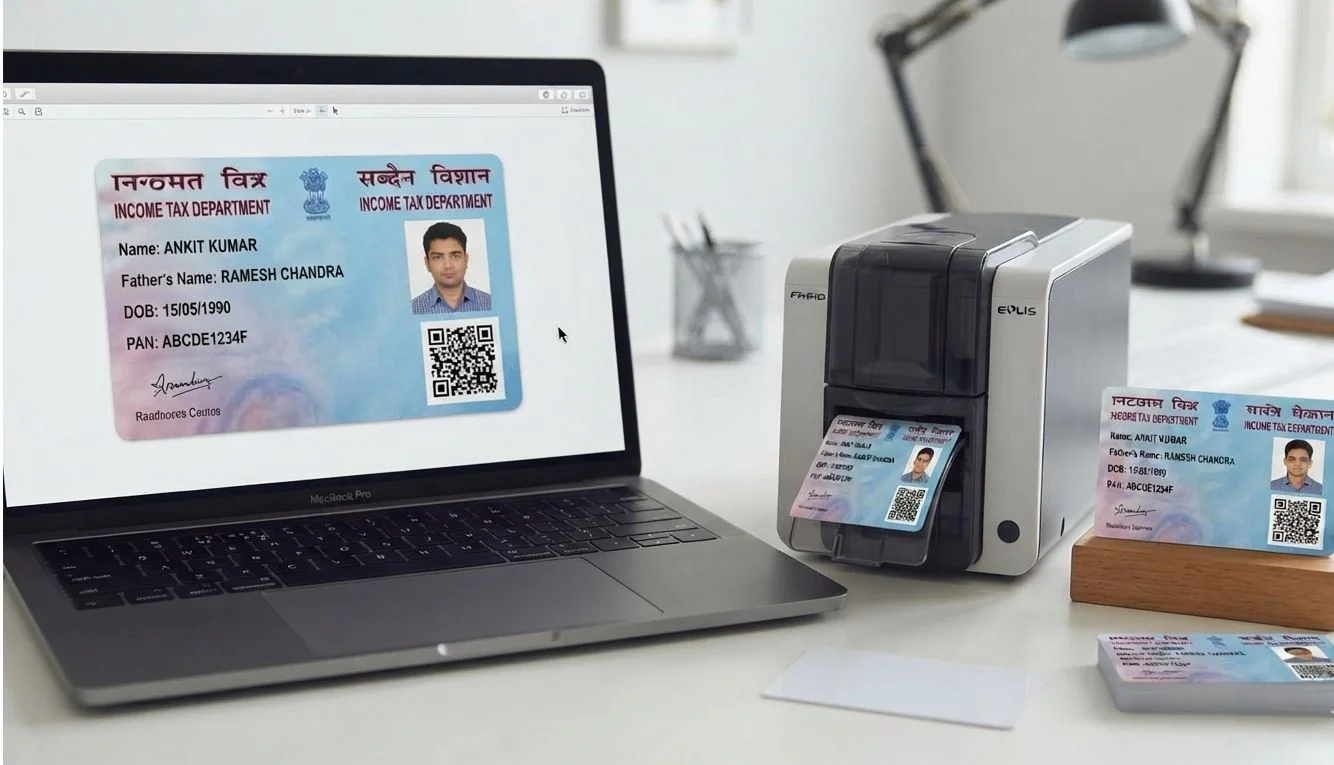
An e-PAN issued by the Income Tax Department arrives as a standard full-page A4 PDF. While ideal for digital verification and electronic records, carrying an entire paper A4 sheet is inconvenient for everyday identification. To turn it into a durable, wallet-ready card, the document must be extracted, cropped to standard CR80 ID dimensions, and laid out for two-sided printing.
What Is a PDF to PVC Card Converter?
A PDF to PVC card converter online free utility automates the document preparation workflow. Rather than manually opening complex graphic editors, measuring millimeter crop boxes, and guessing printer margins, an automated converter performs four critical tasks:
- Unlocks the PDF: Handles official date-of-birth encryption seamlessly.
- Extracts Artwork: Isolates the front and back card portions while removing outer receipts, instructions, and cut guidelines.
- Calibrates Scale: Arranges front and back layouts side by side to match international CR80 dimensions (85.60 × 53.98 mm).
- Generates Print Layouts: Formats the card for instant output on single-card thermal printers or multi-card A4 sheets.
Process your files with studio quality in your browser with zero registration required.
Try PixDok Tool NowSupported e-PAN PDF Formats
The Income Tax Department issues electronic PAN cards through multiple authorized service agencies. A reliable online converter supports all three major formats:
- NSDL / Protean e-PAN: The most widely distributed format, featuring front and back portions formatted horizontally or vertically with a high-resolution QR code.
- UTI (UTIITSL) e-PAN: Features distinct security borders, applicant photograph, digital signature block, and back-side disclosure text.
- Instant e-PAN: Issued via Aadhaar-based e-KYC on the Income Tax e-Filing portal, containing a compact modern layout.
How to Convert PAN Card PDF to PVC Online Free
Follow this simple workflow to prepare your PAN card PDF to PVC card online free download in seconds:
- Upload File: Select your e-PAN PDF document (up to 8 MB).
- Select Type: Choose between NSDL, UTI, or Instant e-PAN for automatic coordinate alignment.
- Enter Password: Enter the cardholder's date of birth in
DDMMYYYYformat (e.g.,15081990). - Auto-Extract: The tool automatically unlocks the document, locates the card boundaries, and displays side-by-side front and back previews.
- Fine-Tune (Optional): If needed, use intuitive sliders to adjust top margin, width, height, or front/back spacing.
- Download & Print: Export high-resolution PNG or print-ready PDF formatted at 100% true physical scale.
Official PAN Card PVC Crop Size Specifications
When preparing cards for plastic printing, adhering to standard PVC card size online free dimensions is essential for wallet fit and scanner compatibility:
| Specification | Metric Value | Imperial / Digital Equivalent |
|---|---|---|
| Card Format | CR80 (ISO/IEC 7810 ID-1) | Standard Credit Card Size |
| Dimensions (mm) | 85.60 × 53.98 mm | 3.370 × 2.125 inches |
| Dimensions (cm) | 8.56 × 5.398 cm | Wallet Card Standard |
| Aspect Ratio | 1.586 : 1 | Standard ID Proportion |
| Thickness | 0.76 mm | 30 mil (Standard PVC) |
| Raster Size (300 DPI) | 1011 × 638 pixels | Standard Digital Print |
| Raster Size (600 DPI) | 2022 × 1276 pixels | High-Definition Thermal Print |
Multi-ID Card Crop Size Online Reference
Service centers, CSC operators, and internet cafes frequently process multiple Indian government identity documents. Here is a quick reference guide:
- PAN Card: 85.60 × 53.98 mm (Standard CR80)
- Aadhaar Card: 86.00 × 54.00 mm (Standard PVC Pocket Size)
- Voter ID (e-EPIC): 86.00 × 54.00 mm (Election Commission Standard)
- Ayushman Bharat Card: 86.00 × 54.00 mm (PMJAY Health Card)
Do You Need a Mobile App or Photoshop?
If you are searching for a PAN card PDF to PVC card online free app, dedicated browser-based tools offer major advantages over Photoshop or heavy mobile apps:
- No Installation: Works instantly on Windows, Mac, Android, and iOS browsers.
- Zero Template Headaches: No need to download PSD templates, configure millimeter rulers, or position guide layers.
- Privacy-First: Processing occurs in isolated, temporary sessions without storing personal identity details.
Print Settings & PAN Card Cutter Workflows
To ensure perfect physical results after cropping, follow these printing guidelines:
- Scale to 100% (Actual Size): In your printer dialogue, always choose 100% or Actual Size. Never select Fit to Page or Shrink Oversized Pages.
- Direct-to-Card Printers: When using Evolis, Zebra, Fargo, or Magicard printers, print directly onto white CR80 PVC blank cards.
- Inkjet Paper & Thermal Lamination: For inkjet printers (Epson, Canon, HP), print on 180–230 GSM glossy photo paper, cut along the borders, place inside a 250-micron PVC pouch, and feed through a heated laminator.
- Digital Cropper vs. Manual Cutter: PixDok handles the digital cropping and scaling accurately, allowing you to use standard desktop roller cutters or punch cutters for clean rounded corners.
Privacy & Security
e-PAN files contain sensitive personal identification records. When using PixDok tools:
- Uploads are transmitted over an encrypted TLS connection directly to temporary, isolated memory.
- Files are processed strictly to extract artwork and generate layouts, then automatically deleted within 30 minutes.
- Disclaimer: PixDok is an independent layout utility and does not manufacture, issue, or verify official PAN cards. It is not affiliated with Protean (NSDL), UTIITSL, or the Income Tax Department. For official physical cards, apply through authorized government portals.
Frequently Asked Questions
Download your official e-PAN PDF from the Income Tax portal, Protean (NSDL), or UTIITSL. Upload it to PixDok's PAN Card to PVC layout tool, enter your date of birth to unlock, and download the print-ready front and back layout for instant card printing.
Yes. Official e-PAN files can be downloaded from the Income Tax e-Filing portal, Protean (NSDL), or UTIITSL, depending on which agency processed your original PAN application.
The standard physical card issued and mailed by the government is a durable ID-1 plastic card. The e-PAN is a digital PDF document; printing it locally on PVC produces a convenient, wallet-sized copy for personal use.
The password is the cardholder's date of birth in DDMMYYYY format without slashes or spaces (e.g., 05041992 for 5th April 1992).
Ensure your printer scaling is explicitly set to 100% or Actual Size in the print dialogue, and turn off all auto-fit or shrink-to-fit checkboxes.
Yes. PixDok automatically unlocks the PDF, extracts the card artwork, and scales it to standard CR80 ID dimensions for direct printing without requiring Photoshop or CorelDraw.
No. PixDok processes files securely in temporary sessions without storing personal identification information.