Everything you need to know about creating, customizing, printing, and scanning QR codes with PixDok:
Can I create a QR code for free?
Yes. PixDok provides a free QR code generation workflow for the supported QR types and features available on the page.
Can I create a QR code without signing up?
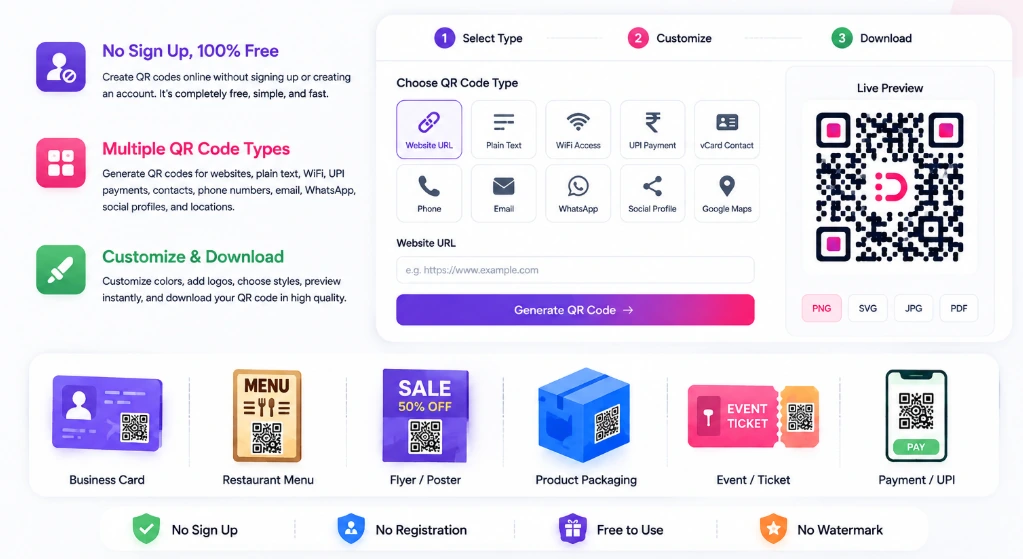
Yes. You can choose a QR type, enter your content, customize the design, and download the result without creating an account.
What is the best free QR code generator?
The best QR code generator depends on what you need. For a simple free QR code, look for a tool that supports your required content type, produces a clear downloadable code, offers useful customization, and lets you test the result before printing. PixDok provides these supported features in one browser-based generator.
How do I create a QR code?
Choose a QR code type, enter the information you want to encode, customize the design if needed, preview it, and download the generated QR code.
Can I create a QR code for a website?
Yes. Select Website URL in the PixDok QR Generator, enter your website address, generate the QR code, test it, and download it.
Can I create a WiFi QR code?
Yes. Select WiFi Access in the generator, enter the network SSID and password, generate the code, and test it with a compatible device.
Can I create a QR code for UPI payment?
Yes. You can create a QR code containing your supported UPI payment details. PixDok generates the QR code containing your supplied information but does not process or hold payments.
Can I create a QR code with my logo?
Yes. You can upload a PNG, JPG, or SVG logo using the center logo overlay controls and test the finished QR code before publishing it.
Can I change the color of my QR code?
Yes. You can customize foreground colors, background colors, and linear or radial gradients. Always keep strong contrast so scanners read the code reliably.
Can I download my QR code as SVG?
Yes. PixDok supports downloading vector SVG files, which scale cleanly without pixelation for print layouts.
Can I download a QR code as PNG?
Yes. PNG is supported for fast digital sharing and web publishing.
Can I print a QR code?
Yes. QR codes can be printed on business cards, menus, flyers, posters, labels, and packaging. Test the printed sample before large-scale production.
Do QR codes expire?
A static QR code itself does not contain an expiration date. However, the destination URL or content encoded in it must remain active for the code to work.
What is a static QR code?
A static QR code stores the encoded information directly inside the QR symbol itself. If the information changes later, a new QR code is normally required.
What is a dynamic QR code?
A dynamic QR code generally routes scanners through an online redirect service so the destination URL can potentially be changed after printing.
Can I create a QR code without an app?
Yes. PixDok runs entirely in your web browser, so no mobile app installation is required.
Can I create a QR code on my phone?
Yes. You can use PixDok from any supported mobile browser to enter details, customize, preview, and download your QR code.
How do I know if my QR code works?
Scan the generated QR code using a smartphone camera or scanner app before printing to verify that it opens the correct information.
Why is my QR code not scanning?
Common causes include low color contrast, an oversized logo covering data modules, missing quiet zone margin, image blur, or incorrect input data.
What is the QR code quiet zone?
The quiet zone is the blank margin surrounding the QR code symbol that helps optical scanners isolate the QR code from surrounding text or graphics.
Can I create QR codes offline?
PixDok is a web-based QR code generator. An internet connection is required to load the web page and its resources, while image rendering occurs in your browser.
Can I use a QR code for my business?
Yes. Businesses use QR codes on menus, business cards, flyers, product packaging, invoices, social media, and event posters.