
Popular Image Tools
Create compliant 35×45 mm & 2×2 in ID photos with multi-copy 4×6 and A4 print sheets.
Format 2×2 inch (51×51 mm) biometric portraits for US Visa, DS-160, and DV Lottery under 240 KB.
Format official 35×45 mm UK passport & visa photos with 29–34 mm head height and 8-up 4×6" print sheets.
Create 35×45 mm ICAO Doc 9303 compliant photos for France, Germany, Italy, Spain & 25 other Schengen nations.
Reduce JPG, PNG, and WebP file weight by up to 80% without noticeable quality loss.
Remove background free with no watermark in 5 seconds. Download full HD transparent PNG cutouts or custom solid backgrounds.
Crop photographs to exact pixel dimensions, standard aspect ratios, or physical centimeters.
AI-powered facial restoration, noise reduction, and super-resolution clarity boost.
Change image width and height by pixels, millimeters, inches, or scale percentages.
Conversion & Document Utilities
Convert single or batch JPG, PNG, and WebP photographs into organized PDF files.
Extract all document pages or specific ranges from PDF files into sharp JPG images.
Convert Apple iPhone HEIC and HEIF photos into universal high-compatibility JPG format.
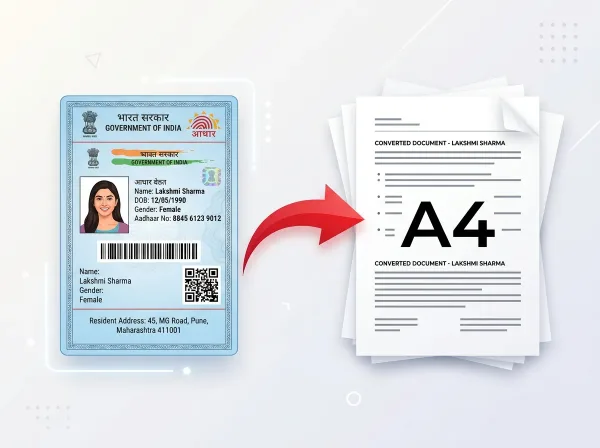
Straighten perspective, remove shadows, and lay out photographed ID cards for A4 printing.
Combine 4, 6, 9, 12, 20 or 50 photos into an A4 print-ready grid. Drag to adjust and download PDF/PNG without login.
Which Image Tool Should I Use?
Instant answers to match your image editing goal with the best free PixDok tool:
Digital Image Specifications & Web Standards
Engineered for high-fidelity document reproduction, standards compliance, and verifiable privacy protocols.
ISO/IEC 19794 & W3C Biometric Image Compliance
Digital image editing on PixDok complies with international standards established by ISO/IEC 19794-5 biometric data interchange formats and the World Wide Web Consortium (W3C) image guidelines. When formatting passport photos, visa portraits, or ID photographs, our algorithms maintain exact 300 DPI density, neutral color grading, and facial proportion ratios required by global border authorities and civil identity registries. This guarantees that exported portraits satisfy automated facial recognition and machine-readable passport specifications worldwide.
Lossless Quantization & Client-Side Privacy Architecture
Raster processing pipelines for JPG, PNG, and WebP compression utilize optimized quantization algorithms compliant with IETF RFC 7932 standards. Processing occurs inside temporary browser memory and ephemeral execution pipelines, eliminating persistent server caching. PixDok enforces strict data minimization protocols, ensuring your photographs, graphics, and personal ID cards are never scraped, indexed, or stored permanently.
Frequently Asked Questions
Common questions about PixDok's free online image editing tools:
Are PixDok image tools free to use?
Yes. PixDok provides free online image tools including compression, cropping, background removal, passport photo formatting, and conversions with no watermarks and no mandatory subscriptions.
Can I compress JPG, PNG, and WebP images online?
Yes. The PixDok Image Compressor supports batch compression for JPG, PNG, and WebP image formats, reducing file weight significantly while maintaining sharp visual quality.
Can I remove an image background automatically?
Yes. Our AI-powered Background Remover automatically isolates human subjects, products, and graphics, enabling you to download transparent PNGs or replace the background with clean solid colors.
Can I crop an image to an exact centimeter or pixel size?
Yes. The Image Cropper supports freeform cropping, fixed aspect ratios (1:1, 4:3, 16:9), and exact pixel or millimeter dimension constraints for official ID and passport photo requirements.
Can I convert images to PDF or PDF pages to JPG?
Yes. PixDok includes fast converters that combine multiple photos into a single PDF document or extract individual PDF pages into high-resolution JPG image files.
Does PixDok store or upload my private photos permanently?
No. PixDok processes files in temporary browser sessions and automatically deletes temporary server processing memory immediately upon delivery to ensure complete privacy.