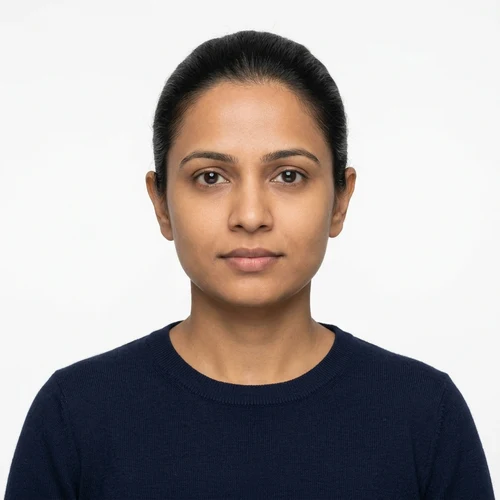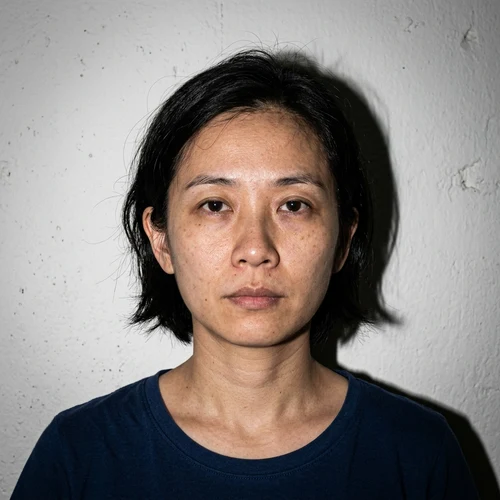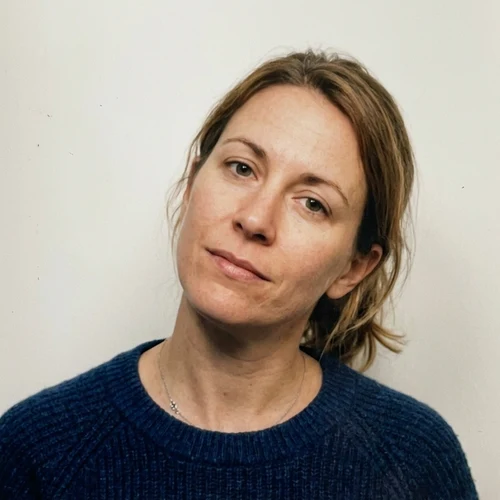
PixDok Logo
Aligned with U.S. Department of State Guidelines

US Visa Photo Size & Free Photo Maker (2x2 Inch)

The correct US visa photo size is 2x2 inches (51x51 mm) for a printed photo. For digital visa applications such as the DS-160, the image must be square, between 600x600 and 1200x1200 pixels, in JPEG format, and no larger than 240 KB.

PixDok’s free US visa photo maker helps you prepare your photo for these technical requirements. Upload a clear photo, position your face using the on-screen guides, and download your prepared digital photo or 4x6 print sheet. PixDok automatically prepares the output file to 240 KB or less, so you do not have to manually compress the final image.

1
Select Preset
2
Upload Photo
3
Biometric Align
4
Verify & Export

Free US Visa Photo Maker — Upload, Align & Download

Choose the photo type, upload a clear front-facing photo, position your face inside the guide, and download your prepared photo.

US visa photos DS-160 digital photos DV Lottery photos 2x2 inch printed photos 4x6 inch print sheets

The tool is designed to make the technical preparation process easier, but final photo acceptance is determined by the U.S. embassy or consulate handling your application.

Upload Your Portrait or Selfie

Drag & drop your portrait here, or click to browse (JPEG, PNG, HEIC, WebP • Max 15MB)

Choose Photo from Device
Biometric photo source image
Crown Guideline Eye Line (56-69%) Chin Line
Pre-Flight Biometric Test State Dept Standard
  • Target Size: 2 × 2 in (51 × 51 mm)
  • Aspect Ratio: 1:1 Square
  • Digital Resolution: 600 × 600 px (300 DPI)
  • Head Height Ratio: 50% – 69% (1.0" – 1.375")
  • Color Space: 24-bit sRGB True Color
  • DS-160 Portal Limit: ≤ 240 KB
  • Backdrop Color: Plain White (#FFFFFF)
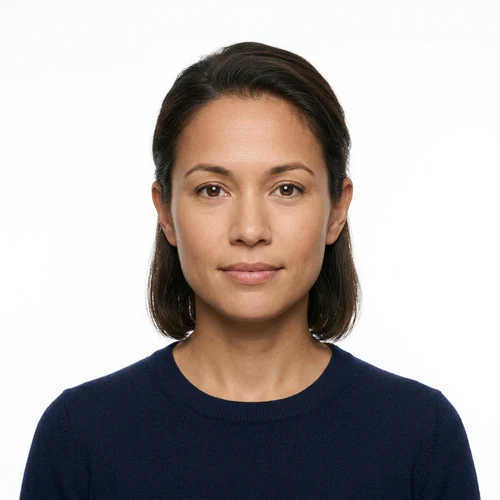
Studio Guides & Backdrop
Client-Side Privacy: Biometric photos are processed in your browser memory and never stored.

US Visa Photo Size & Requirements at a Glance

For a standard U.S. visa photo, the printed photo should be exactly 2x2 inches (51x51 mm). For a digital visa image, the U.S. Department of State specifies a square image with dimensions from 600x600 pixels to 1200x1200 pixels, JPEG format, and a maximum file size of 240 KB.

Requirement US Visa Digital Photo
Printed photo size 2x2 inches (51x51 mm)
Digital dimensions 600x600 to 1200x1200 pixels
Aspect ratio Square (1:1)
File format JPEG
Maximum file size ≤ 240 KB
Color Color, 24-bit, sRGB
Head height 50% to 69% of image height (1 to 1-3/8 inches)
Eye height 56% to 69% of image height from bottom
Background Plain white or off-white
Photo age Taken within the last 6 months
Pose Full-face view, directly facing camera
Expression Neutral expression, both eyes open
Eyeglasses Not allowed except limited medical circumstances

US Visa Photo Size in Pixels

If you are submitting a digital photo for a U.S. visa application, the image should have a square aspect ratio.

The accepted digital dimensions are:

  • Minimum: 600x600 pixels
  • Maximum: 1200x1200 pixels
  • Aspect ratio: 1:1 (Square)
  • Format: JPEG (.jpg / .jpeg)
  • Maximum file size: 240 KB

PixDok prepares the downloadable image within the required file-size limit.

Important: 300 pixels per inch (PPI) should not be confused with the universal digital-image requirement. The U.S. Department of State specifies 300 pixels per inch when scanning an existing 2x2 inch physical photo.

US Visa Photo Size in Inches and Centimeters

The standard printed U.S. visa photo size is:

  • Width: 2 inches
  • Height: 2 inches
  • Metric size: 51 x 51 mm (5.1 x 5.1 cm)
  • Shape: Exact Square

If you need a physical photograph for an interview or other application requirement, print the photo at the correct 2x2 inch size on photo-quality paper.

PixDok's 4x6 print sheet places multiple 2x2 inch prints onto standard photo paper so you can print at home or any local print pharmacy at exact 100% scale without stretching.

US Visa Photo Requirements for DS-160

The DS-160 is the online application form used for many nonimmigrant U.S. visas. When uploading a digital photograph, make sure your image follows the published requirements. The image should be square, between 600x600 and 1200x1200 pixels, in JPEG format, and no larger than 240 KB.

PixDok can help prepare the technical file:

  • Square image (1:1 ratio)
  • Correct digital dimensions (600x600 to 1200x1200 px)
  • JPEG output format
  • File size of 240 KB or less guaranteed
  • Biometric face positioning guides
  • 2x2 inch print preparation with 4x6 printable sheets

If the photo upload fails in the DS-160, check the photo requirements and the instructions provided by the U.S. Department of State or the embassy/consulate where you are applying.

How to Take a US Visa Photo at Home

You can take a U.S. visa photo yourself if you have a suitable camera and a properly prepared setting.

1

Find a plain background

Stand in front of a plain white or off-white background. Avoid visible objects, patterns and distracting shadows.

2

Use good lighting

Use even lighting across your face. Avoid strong shadows, glare and very dark areas.

3

Keep camera at eye level

Look directly at the camera. Keep your head straight and do not tilt it up, down or sideways.

4

Keep face clearly visible

Your entire face should be visible, with both eyes open and no objects covering important facial features.

5

Avoid glasses

Eyeglasses are generally not permitted in U.S. visa photos, except in limited medical circumstances.

6

Use PixDok to prepare image

Upload your photo to PixDok, position your face using the guides, and download the prepared image.

Remember that a photo tool can help with technical preparation, but it cannot guarantee that an individual photograph will be accepted by a government authority.

US Visa Photo Head Size and Eye Position

Correct positioning is one of the most important parts of a U.S. visa photo.

2 INCHES (51 mm / 600 px) 2 INCHES (51 mm) Top Margin: 8-12% Eye Height: 56%-69% Head: 1" to 1-3/8" (50%-69%)

Official Biometric Head & Eye Geometry

For a digital visa image submitted to the U.S. Department of State:

  • Head height should be between 50% and 69% of the image height (1 inch to 1-3/8 inches).
  • Eye height should be between 56% and 69% of the image height from the bottom of the photo.
  • The face should be centered horizontally.
  • The applicant should face the camera directly with no head turn or tilt.
  • The full head should be visible from the top of the hair to the bottom of the chin.
PixDok provides interactive visual positioning guides and an alignment oval to make framing quick and effortless.

US Visa Photo Background Requirements

The background should be plain white or off-white.

Avoid:

  • Dark backgrounds
  • Patterns or wall designs
  • Furniture or visible objects
  • Visible shadows behind the head or ears
  • Distracting backgrounds
  • Uneven lighting or color casts

A clean, simple background makes it easier to produce a properly composed visa photo. Always review the final image against current official requirements before submitting it.

Can You Wear Glasses in a US Visa Photo?

Generally, no.

The U.S. Department of State states that eyeglasses are not allowed in new visa photos except in rare medical circumstances where they cannot be removed (e.g., following recent eye surgery documented by a physician).

  • Prescription eyeglasses strictly prohibited
  • Sunglasses and tinted glasses must not be worn
  • Anti-glare glasses are also not permitted

If glasses are medically necessary, check the current official instructions for the applicable documentation and photo conditions required by the consulate.

Why US Visa Photos Get Rejected

A photo can cause delays or application rejection when it does not meet published photo requirements.

Common problems include:

  • Incorrect 2x2 inch print size
  • Digital image outside the required pixel range (600–1200 px)
  • File larger than 240 KB
  • Incorrect file format (non-JPEG)
  • Head too small or too large
  • Eyes positioned incorrectly
  • Face not centered
  • Head tilted or turned
  • Shadows on the face or background
  • Distracting background
  • Poor image quality or blurriness
  • Glasses or objects covering the face
  • Outdated photograph (older than 6 months)
  • Unnatural expression or wide smile

PixDok helps with several technical aspects such as cropping, positioning and file-size preparation, but the quality of the original photograph still matters.

US Visa Photo Maker With ≤240 KB Output

One common problem with digital visa photos is file size. The U.S. Department of State specifies a maximum digital image size of 240 KB for its digital visa image requirements.

Optimized Output Guarantee
≤ 240 KB

Automatically formatted for immediate DS-160 upload

This means you do not need to manually compress the final image after downloading it.

PixDok’s ≤240 KB guarantee applies to the file generated by PixDok. It does not guarantee government approval or acceptance of the photograph.

US Visa Photo for DV Lottery

The Diversity Visa (DV) program has specific photograph requirements. Applicants should check current Diversity Visa instructions for the applicable entry period before submitting a photo.

The photo requirements include factors such as:

  • Square image (1:1 aspect ratio)
  • Correct head size and positioning (50%–69%)
  • Plain white or off-white background
  • Full-face view directly facing camera
  • Both eyes open with neutral expression
  • No eyeglasses
  • Current appearance taken within 6 months
  • JPEG format and applicable file-size limit

Because DV instructions can be updated for different entry periods, always check the latest official instructions before submitting your entry.

US Passport vs US Visa Photo

U.S. passport and U.S. visa photographs share several visual requirements, including the familiar 2x2 inch printed format in many applications, but their digital submission rules are not necessarily identical.

For example, U.S. passport online renewal has its own digital-photo requirements and should not automatically be treated as having the same 240 KB limit as a digital visa image.

If you are preparing a passport photo rather than a visa photo, check current U.S. passport instructions for your specific application.

Print on a 4x6 Sheet

Need a physical 2x2 inch photo? PixDok can create a 4x6 print sheet containing your prepared photos.

You can:

  1. Prepare your photo with PixDok.
  2. Download the 4x6 print sheet.
  3. Print it on photo-quality paper.
  4. Cut individual 2x2 inch photos along the guides.

Before printing, make sure your printer or photo kiosk does not resize or stretch the image unexpectedly.

Is PixDok Safe and Private?

PixDok is designed with privacy in mind. For browser-based photo processing, your image is processed directly in your browser without being permanently stored on PixDok servers.

Photos are personal information, so users should always review privacy information before using any online photo service.

Client-Side Guarantee: Your photo is rendered in your browser's local memory and is never kept on public remote databases.

US Visa Photo Examples: Acceptable and Common Problems

Use the examples below to understand common photo requirements and problems. These examples are educational and do not represent a government approval or rejection decision.

Acceptable Example

  • Face directly toward camera
  • Head centered
  • Both eyes open
  • Neutral expression
  • Plain background
  • Even lighting
  • Correct head size (50%–69%)
  • No glasses

Common Problems

  • Head too small or too large
  • Tilted head or angled pose
  • Heavy shadows behind head or on face
  • Dark or distracting background
  • Glasses worn
  • Face turned away
  • Poor lighting or blurriness
  • Glare or reflections

Frequently Asked Questions

Comprehensive answers regarding US Visa, DS-160, and biometric photo technical requirements.

What is the US visa photo size?

The standard printed U.S. visa photo size is 2x2 inches (51x51 mm). For digital visa images, the U.S. Department of State specifies a square image from 600x600 to 1200x1200 pixels, in JPEG format, with a maximum file size of 240 KB.

What is the US visa photo size in pixels?

For a digital U.S. visa image, the acceptable dimensions are 600x600 pixels to 1200x1200 pixels, with a square 1:1 aspect ratio.

What is the US visa photo size in KB?

The digital image must be 240 KB or smaller according to the U.S. Department of State's digital image requirements. PixDok automatically prepares its downloadable output to 240 KB or less.

Can I wear glasses in a US visa photo?

Generally, no. Eyeglasses are not allowed in new U.S. visa photos except in rare medical circumstances where they cannot be removed.

What background color is required for a US visa photo?

The background should be plain white or off-white, without distracting objects, patterns or shadows.

Can I smile in a US visa photo?

A neutral expression is recommended. Your face should be directly facing the camera with both eyes open.

How recent must a US visa photo be?

The U.S. Department of State says visa photos should be taken within the last six months and reflect your current appearance.

Can I take a US visa photo with my phone?

Yes. You can take a photo using a smartphone if you follow the published composition, lighting, background and positioning requirements. Using the rear camera and having another person take the photo can make positioning easier.

Why is my DS-160 photo upload failing?

Common technical reasons include an incorrect image format, incorrect dimensions, a non-square image or a file larger than the permitted 240 KB limit. Check the current DS-160 and U.S. Department of State photo requirements before trying again.

Can PixDok guarantee that my US visa photo will be accepted?

No. PixDok can help prepare the image according to published technical specifications, but final acceptance is determined by the U.S. embassy or consulate handling the application. PixDok does guarantee that its generated downloadable file is 240 KB or less when the tool displays the ≤240 KB output.

Is the US visa photo maker free?

PixDok provides the US visa photo maker as a free online tool. Users can upload a photo, prepare it and download the generated output without needing specialized photo-editing software.

Does PixDok store my photo?

PixDok's photo-processing behavior depends on the specific tool implementation. Where processing occurs entirely in the browser, the image can be processed without permanent server storage. Always review PixDok's current privacy information for details about how uploaded or processed images are handled.

Official US Visa Photo Requirements

U.S. visa photo requirements can change. Before submitting your application, always compare your final photo with the latest official instructions.

U.S. Department of State

Photo Requirements

travel.state.gov
U.S. Department of State

Digital Image Requirements

travel.state.gov
U.S. Department of State

Photo Composition Template

travel.state.gov
U.S. Department of State

Photo Frequently Asked Questions

travel.state.gov
CEAC Portal

DS-160 Official Instructions

ceac.state.gov

Last updated: October 7, 2026

Photo requirements can change. Always verify the current requirements with the U.S. Department of State or the U.S. embassy or consulate where you are applying.

Disclaimer

PixDok is an independent online photo and document tool. It is not affiliated with, endorsed by, or sponsored by the U.S. Department of State, U.S. Department of Homeland Security, USCIS, U.S. embassies or consulates, or any other government agency.

PixDok helps users prepare photos according to published technical requirements. Final acceptance of a photograph is determined by the relevant government authority.

Always check the latest official requirements before submitting your application.