Popular Card Tools
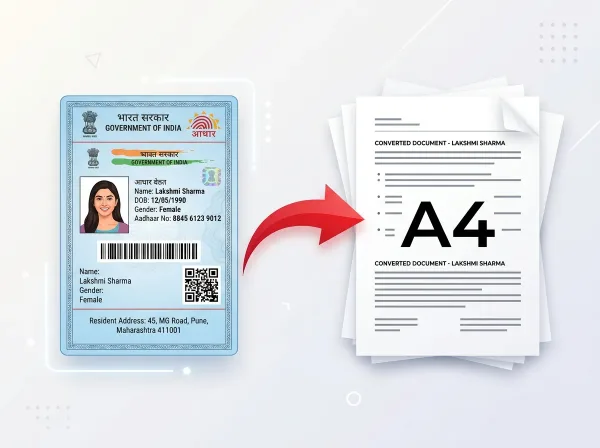
Format your e-Aadhaar PDF into a standard CR80 wallet-sized ATM card layout with verified QR code.
Crop and align NSDL & UTI e-PAN PDFs for instant front and back PVC card printing.
Convert digital e-EPIC Voter ID PDFs into compact, wallet-friendly PVC cards with front & back alignment.
Format Ayushman Bharat PMJAY health cards into crisp, professional PVC layouts ready for lamination.
Convert Ayushman Bharat Health Account IDs into standard card dimensions for wallet storage.
Crop state food security slips and e-ration documents into clean card formats for easy carrying.
Convert DL photos, portal screenshots, or PDFs into standard CR80 PVC card layouts with front and back preview.
Photos & Document Preparation
Correct camera perspective, clean dark shadows, and lay out photographed cards onto single-page A4 sheets.
Create compliant 35×45 mm & 2×2 in ID photographs arranged neatly on 4×6 and A4 photo printing sheets, or try our AI Passport Photo Maker.
Which Card Tool Should I Use?
Quick matching for common card formatting, cropping, and printing needs:
Identity Card Dimensions & Printing Specifications
Engineered for high-fidelity document reproduction, standards compliance, and verifiable privacy protocols.
ISO/IEC 7810 ID-1 Physical Card Standard (CR80)
Standard identity cards across banking, government, and corporate sectors conform strictly to the ISO/IEC 7810:2019 ID-1 physical card standard. This specification mandates physical card dimensions of 85.60 × 53.98 mm (3.370 × 2.125 inches) with 3.18 mm rounded corner radiuses. PixDok card generation formats e-Aadhaar, PAN, Voter ID, and Ayushman cards to exact CR80 millimeters, ensuring flawless output on dual-sided thermal transfer and inkjet PVC card printers.
High-DPI Vector Clarity & Color Profile Consistency
To prevent blurry text, broken QR codes, or faded official emblems, PixDok preserves 300+ DPI vector resolution throughout the PDF rasterization pipeline. Rendering aligns with standard International Color Consortium (ICC) sRGB and CMYK profiles, guaranteeing that printed PVC cards maintain sharp barcodes, clear signatures, and legible biometric details.
Frequently Asked Questions
Common questions regarding identity document formatting and printing:
What is CR80 card size and does PixDok support it?
CR80 is the international standard format for ATM, debit, credit, and smart cards, measuring exactly 85.60 × 53.98 mm (approx 86 × 54 mm). PixDok card tools format identity layouts to exact CR80 specifications for direct PVC printing or A4 cutting. For step-by-step printing instructions and layout specs, see our guide on how to print Voter ID card as PVC card and our Ayushman Card PVC format and print size guide.
Does PixDok issue or fabricate official government cards?
No. PixDok is an independent software tool that helps users and print shops format valid PDF documents that they already possess into clean, printable card dimensions. PixDok does not reissue, fabricate, or verify government documents.
Can I print my card layout on normal A4 paper if I don't have a PVC printer?
Yes. Every PixDok card tool includes an A4 print layout option. You can print the front and back card graphics at exact 1:1 scale on glossy photo paper or heavy cardstock, cut them along the guidelines, and laminate them. Follow our Voter ID size and layout guide for 100% scale printer settings.
How do I unlock password-protected e-Aadhaar or e-PAN PDFs?
PixDok includes built-in password processing. For e-Aadhaar, the password is conventionally the first 4 letters of your name in CAPITAL letters followed by your year of birth (e.g., SURE1990). Enter the password when prompted.
Are my sensitive personal identity documents kept private?
Can CSC centres and cyber cafes use PixDok card tools?
Yes. Thousands of CSC (Common Service Centre) operators, cyber cafes, and printing shops across India rely on PixDok card tools daily to prepare fast, professional card print sheets for their customers.