Introduction
Applying for an Indian Passport via Passport Seva, an OCI card, or a Pan Card requires submitting photos that meet strict Ministry of External Affairs (MEA) specifications. Submitting photos with incorrect dimensions, improper background color, or shadow distortion is the number one cause of application rejection. You can format and crop your photo instantly using our Passport Photo Maker.
Process your files with studio quality in your browser with zero registration required.
Try PixDok Tool NowOfficial Indian Passport Photo Specifications
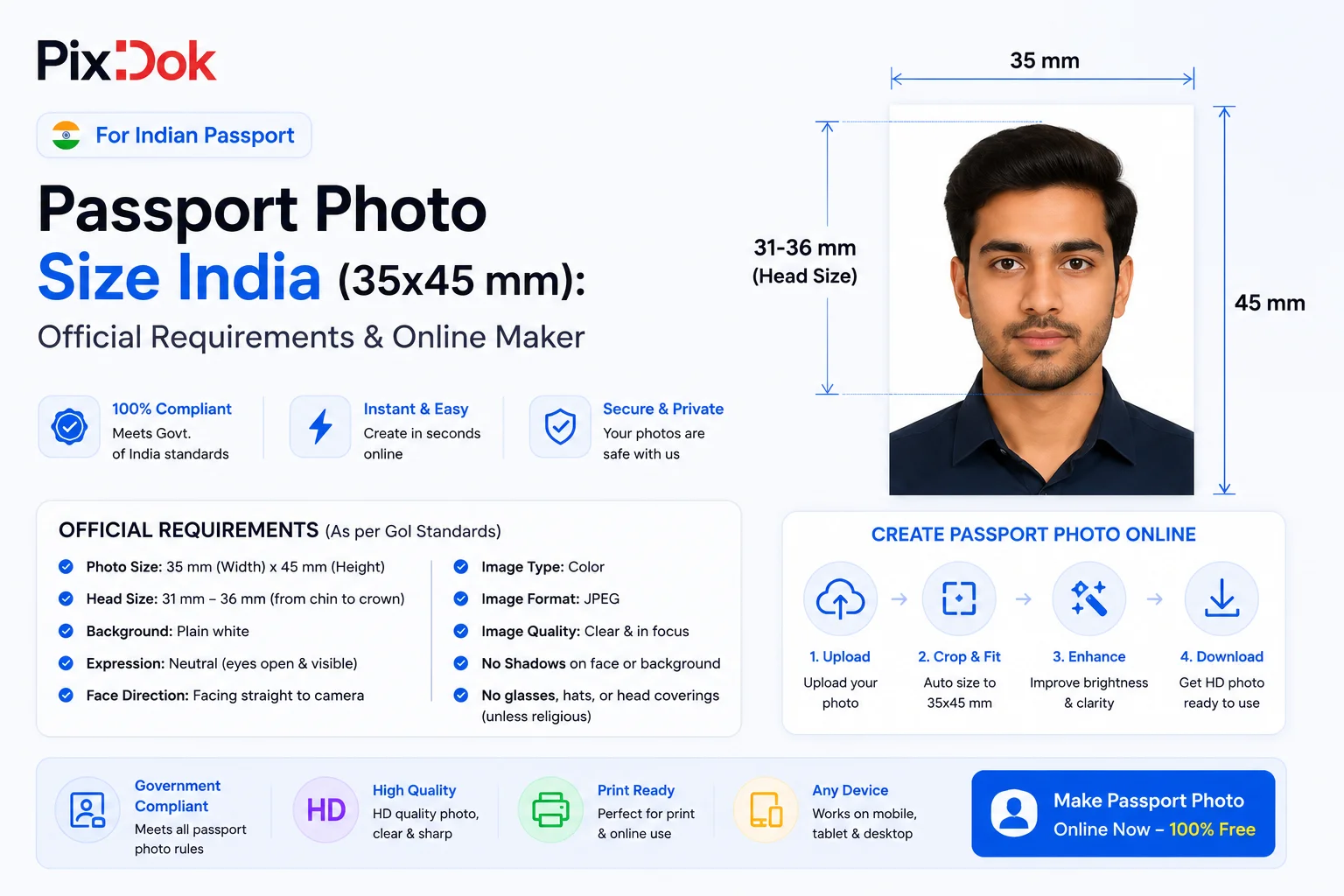
- Dimensions: 35 mm width × 45 mm height (3.5 cm × 4.5 cm).
- Face Coverage: Face must cover 70% to 80% of the frame (chin to crown height between 31 mm and 36 mm).
- Background Color: Plain white or off-white background with zero shadows or patterns. You can remove background colors instantly with our Remove Background Image Tool.
- Head Position: Full frontal view, centered head, neutral facial expression with eyes open and mouth closed.
- Attire & Accessories: Dark colored clothing recommended for contrast against white background. No uniforms. Daily religious headwear is permitted provided full facial features (from chin to forehead) remain clear.
- Print Resolution: Minimum 300 DPI high-quality print on glossy photo paper.
Step-by-Step Guide to Make Indian Passport Photos at Home
- Step 1: Take a Clear Photo: Stand 4 feet away from a well-lit wall. Keep your shoulders level and face the camera directly.
- Step 2: Upload to PixDok: Open the Passport Photo Maker and upload your portrait photo.
- Step 3: Auto AI Background Removal & Alignment: PixDok automatically applies a compliant plain white background and aligns your head position.
- Step 4: Download Printable Grid: Export single photos or a standard 4×6 inch multi-photo print grid.
Frequently Asked Questions
What is the exact pixel size for Indian Passport photo at 300 DPI?
At 300 DPI, 35mm × 45mm equals 413 pixels width × 531 pixels height.
Can I wear glasses in Indian Passport photos?
No. As per current MEA guidelines, optical glasses with glare or tinted lenses are strictly prohibited in passport photos.
Conclusion
Ensure your Indian Passport application gets approved on the first attempt by creating official 35x45mm photos at home with PixDok!