
Free UK Passport Photo Maker Online – 35x45 mm
Looking for a UK passport photo maker online free? Make a UK passport size photo for free in your browser with PixDok's free online UK passport photo maker. Upload a portrait, crop it to 35 x 45 mm, line your head up with the 29–34 mm guide, then download a single photo or a 4x6 inch sheet of 8 to print. There is no sign-up and no app to install. PixDok is an independent tool and is not part of GOV.UK or HM Passport Office.
Upload your photo: free UK passport size photo maker
JPG, PNG or WebP up to 15 MB. No sign-up. Works directly in your browser, so there is no UK passport size photo maker app to install.
Your UK passport photo is ready
UK passport size photo maker: what you get
PixDok is a UK passport size photo maker free tool that turns one portrait into the formats UK applications ask for:
Single photo
35 mm wide by 45 mm high (7:9), exported at 900 x 1157 px, above GOV.UK's 600 x 750 px digital minimum.
Print sheet
A 4x6 inch (10x15 cm) sheet with 8 photos and cutting lines.
Head guide
An oval that marks the 29–34 mm crown-to-chin range.
UK passport photo rules
Here are the official photo rules for UK passport submissions. GOV.UK sets these rules for adult photos. Last checked 12 October 2026. Read the current printed photo rules and digital photo rules before you apply.
| Requirement | What GOV.UK says |
|---|---|
| Printed size | 45 mm high by 35 mm wide; 2 identical photos for a paper application |
| Head size | Crown of head to chin between 29 mm and 34 mm |
| Digital file | At least 600 x 750 px, between 50 KB and 10 MB, in colour, clear and in focus |
| Background | Printed: plain cream or light grey. Digital: plain light-coloured. Clear contrast with you in both |
| Print quality | Colour, plain white photographic paper, no border, no creases, tears or marks |
| Editing | Unaltered by computer software |
| Photo age | Taken in the last month; a new photo is needed with every new passport |
| Face | Facing forward, plain expression, mouth closed, eyes open and visible, no shadows on your face or behind you |
| Glasses | Avoid unless you must wear them; no tint, and no glare or frame over your eyes |
| Head coverings | Only for religious or medical reasons |
How to take a passport photo UK
Follow these 6 practical steps when learning how to take a passport photo UK guidelines require using your phone or camera:
Stand facing a plain light wall, cream or light grey if you can, with no shadows behind you. Daylight from a window in front of you works well.
Ask someone to take the photo with the camera at eye height. GOV.UK says you need a helper for photos taken on your own device.
Face the camera with a plain expression, mouth closed and eyes open. Keep hair off your eyes and take glasses off if you can.
Include your head, shoulders and upper body. If you are uploading the photo inside a GOV.UK application, leave it uncropped; GOV.UK crops it for you.
For a printed application, upload the photo here, line your head up with the oval and download the 4x6 inch sheet.
Print it at a photo shop or kiosk on plain white photographic paper with no border, cut along the lines and check every rule in the table above.
Can I take my own passport photo in the UK?
Can I take my own passport photo UK applicants often ask? Yes. You can take the photo yourself against a plain light background, as long as someone else takes it for you. For an online application, GOV.UK lets you take it on your own device during the application. GOV.UK also says photos from a booth or shop are more likely to be approved, so take your own only if you can meet every rule above.
Digital passport photo UK: what it is and how to get one
What is a digital photo for UK passport applications? A digital passport photo is the image file you use for an online UK passport application. It must be at least 600 x 750 px, between 50 KB and 10 MB, in colour and unaltered by software. How do I get a digital passport photo UK applicants need? GOV.UK gives two ways to get one:
- From a photo booth or shop, before you apply: Choose the option to get a code with your photos, then enter the code in your application and the photo is added.
- On your own device, during your application: Someone needs to help you take it.
PixDok does not issue GOV.UK photo codes; those come from booths and shops. Use PixDok to prepare a correctly sized 35 x 45 mm photo for printing or for other forms.
Can a UK passport photo have a white background?
Can UK passport photo have white background? Printed photos must have a plain cream or light grey background; white is not on that list. Digital photos need a plain light-coloured background in clear contrast to you. To avoid a delay, use light grey or cream for both. PixDok offers light grey and cream only.
UK visa photo maker, converter and editor
Need a UK visa photo maker, UK visa photo converter, or UK visa photo editor? Convert a JPG, PNG or WebP into a 35 x 45 mm UK size photo, crop and reposition it inside the head guide, and download a single photo or a print sheet. Photo rules differ by visa and application centre, so check the guidance for your own application before you upload. For other destinations, use the US visa photo maker or the Schengen visa photo maker.
Passport photo booth cost UK
How much is a photo booth passport photo UK travelers wonder? UK photo booths typically charge around £10 for a set of prints, and many include a digital photo code. Prices vary by provider and location, so check the booth before you pay. A photo prepared with PixDok is free, but it cannot give you a photo code, and GOV.UK says booth or shop photos are more likely to be approved than photos taken on your own device.
Can I change my passport photo in the UK?
Can I change my passport photo UK residents ask? The photo in a passport you already hold cannot be swapped; to get a different photo you would apply for a new passport. GOV.UK says you must get a new photo whenever you get a new passport, even if your appearance has not changed. If you have not submitted your application yet, you can retake the photo and replace it before you send it. See GOV.UK's passport application guidance for the options.
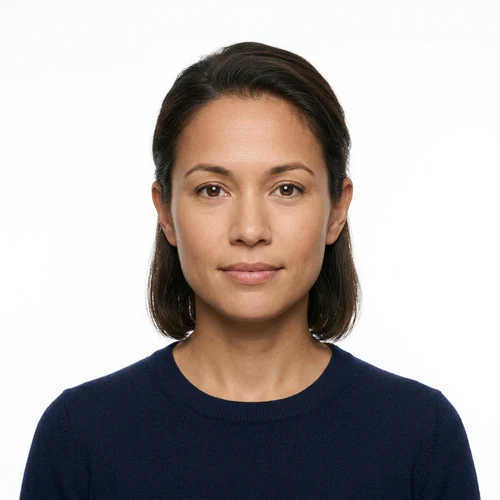
UK passport photo examples
Compare your photo with each UK passport photo page example below before you submit:

Correct
Facing forward, plain light grey background, even light, mouth closed.
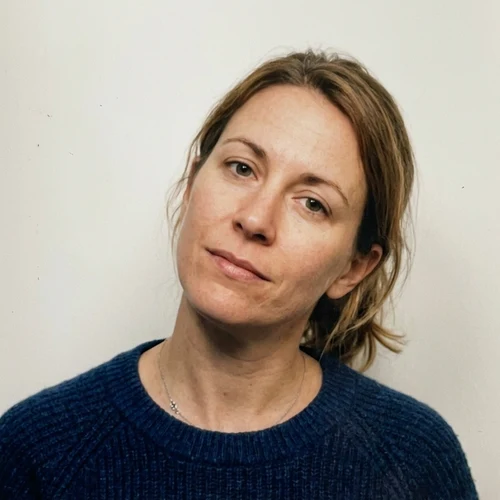
Too small
Head shorter than 29 mm, or too much space around you.
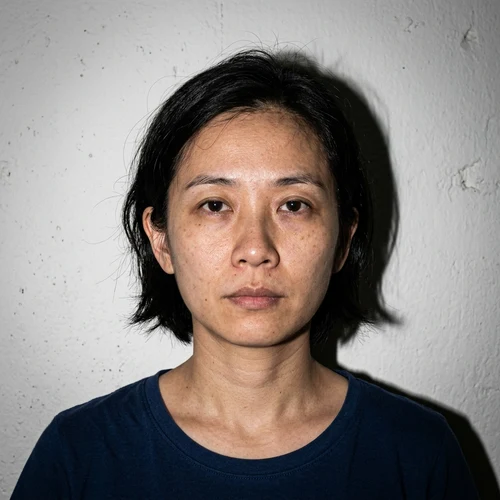
Shadows
Shadows on your face or on the wall behind you.
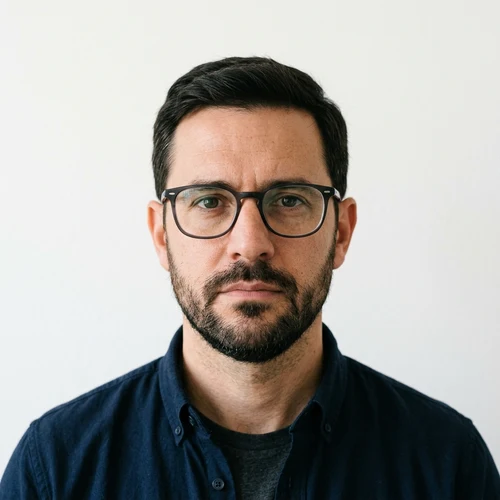
Glasses glare
Reflection or frames covering your eyes.
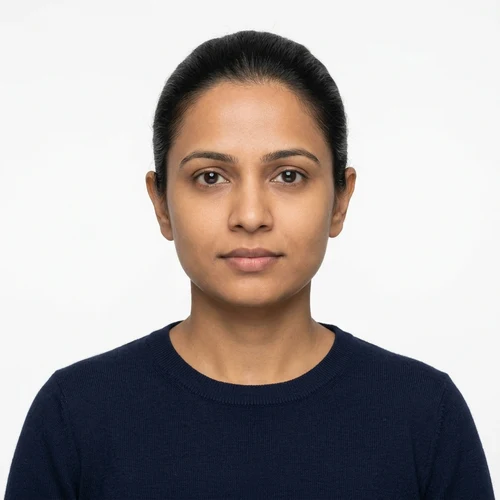
Smiling or mouth open
GOV.UK asks for a plain expression.
Dark or patterned background
Not plain and light-coloured.
Frequently Asked Questions
Common questions answered about UK passport photos, sizes, rules, and costs: