
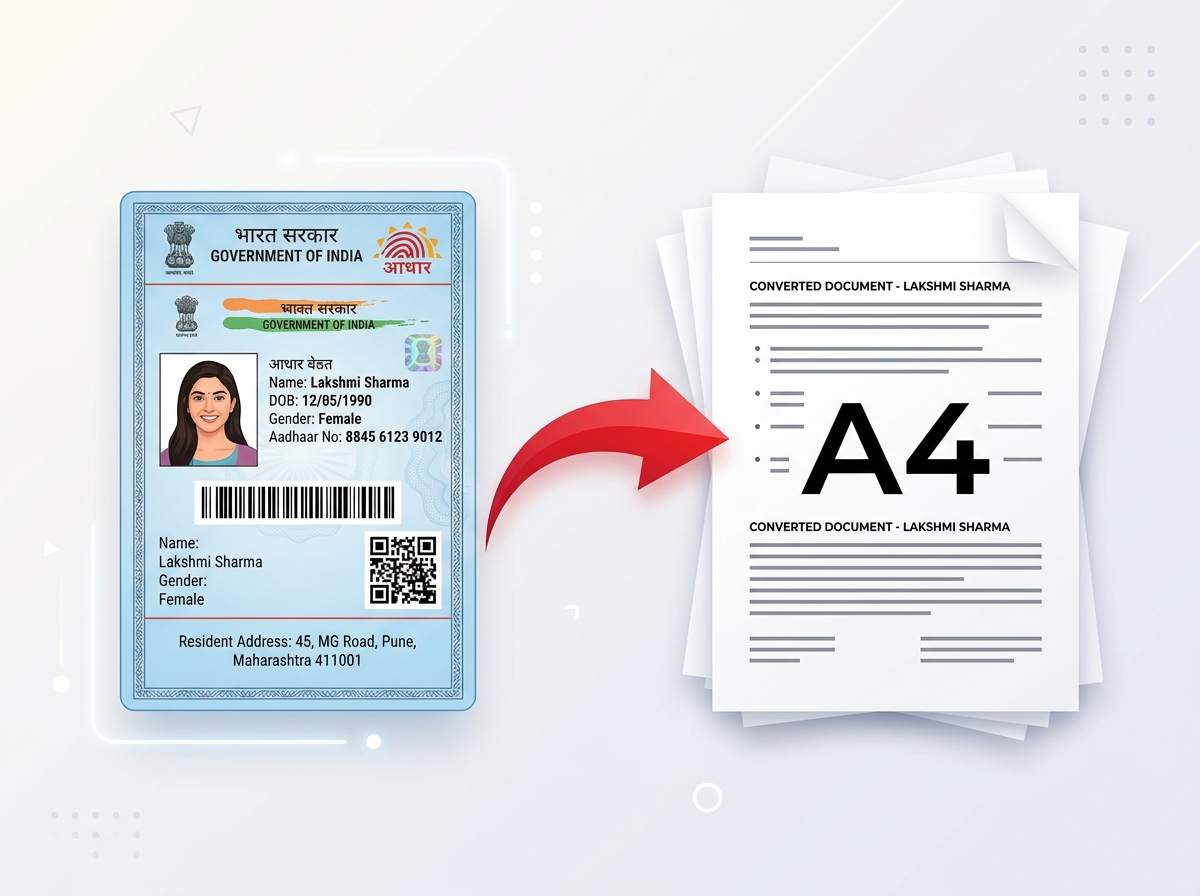
Aadhaar PDF to PVC Card Maker
Convert your e-Aadhaar PDF into a print-ready, wallet-sized PVC card layout in seconds. Upload your password-protected PDF, extract the card details, preview the front and back, and prepare the result for printing.
Convert e-Aadhaar PDF to a PVC card layout without manually cropping, resizing or arranging the card.
Your generated card will appear here dynamically after processing the PDF document
Easy PDF to PVC Layout
Turn your existing e-Aadhaar PDF into a wallet-sized card layout without manually recreating the design.
Password-Protected PDF Support
Process password-protected e-Aadhaar PDFs using the password required to open your document.
Front & Back Preview
Review the generated card layout before downloading the printable result.
PVC & A4 Print Ready
Prepare the card layout for a PVC card printer or an A4 printing workflow.
Convert Aadhaar PDF to PVC Card Online
If you have an e-Aadhaar PDF but want a convenient wallet-sized card layout, PixDok Aadhaar PDF to PVC Card Maker can help you prepare one online.
Instead of manually opening an image editor, cropping the Aadhaar card, adjusting its dimensions, positioning the photo, and preparing the front and back sides yourself, you can upload your existing e-Aadhaar PDF and use PixDok to prepare a print-ready card layout.
The tool is designed for users who already have an e-Aadhaar PDF and want to prepare the information contained in that document for a PVC-card printing workflow. If you need to convert your PDF pages to images for other tasks, you can also use PixDok's PDF to JPG tool.
Upload your PDF, enter the required password if the document is protected, process the file, review the extracted result, and prepare the front and back sides for printing.
PixDok does not issue an official Aadhaar PVC Card. It is an independent document-processing and print-layout utility that helps you prepare a card-sized layout from information contained in your own e-Aadhaar document. For an official Aadhaar PVC Card issued through UIDAI, users should use UIDAI's official Aadhaar portal.
Aadhaar PVC Card Maker Features
e-Aadhaar PDF to PVC Card
Convert an existing e-Aadhaar PDF into a wallet-sized PVC card layout without manually recreating the document in Photoshop or another image editor.
Password-Protected e-Aadhaar PDF
Many e-Aadhaar PDF files are password protected. PixDok provides a password field so you can process your document when a password is required.
Aadhaar Photo and Details Extraction
The existing PixDok processing workflow extracts the relevant card content from the uploaded PDF and prepares it for the card preview.
Front and Back Card Preview
Review the generated front and back card layouts before downloading the output.
Photo Brightness Adjustment
If the extracted photograph appears too dark or too light, use the available brightness control to adjust the appearance before preparing the final layout.
A4 Print Layout
Prepare the card layout for printing on a standard A4 sheet when an A4-based printing workflow is more convenient than direct PVC card printing.
How to Convert Aadhaar PDF to PVC Card
Creating a print-ready Aadhaar card layout from your existing e-Aadhaar PDF does not require complicated image-editing software. Follow these steps:
Download Your e-Aadhaar PDF
Obtain your official e-Aadhaar PDF file from UIDAI's portal or your records.
Open PixDok Aadhaar PDF to PVC Card Maker
Navigate to PixDok's dedicated online tool page in your web browser.
Upload Your Aadhaar PDF
Select your e-Aadhaar PDF and upload it to PixDok using the file picker or the drag-and-drop upload area.
Enter the PDF Password
If your e-Aadhaar PDF is password protected, enter the password required to open the document.
Process the Aadhaar PDF
Click the processing button to begin extracting the card content from the PDF.
Review the Card Preview
Once processing is complete, review the generated card preview and check that the information and photograph appear correctly. If you need to enhance or sharpen a dark photograph, you can also explore PixDok's Image Enhancer tool.
Download the Result
Download the available card output or A4 print layout according to your printing workflow.
What Is the e-Aadhaar PDF Password?
e-Aadhaar PDF files downloaded from UIDAI are generally password protected. The password format is based on the first four letters of the Aadhaar holder's name in CAPITAL letters followed by the four-digit year of birth.
For example:
- Name: SURESH KUMAR | Year of Birth: 1990 → Password:
SURE1990 - Name: SAI KUMAR | Year of Birth: 1990 → Password:
SAIK1990
The exact password should be based on the name and year of birth associated with the e-Aadhaar document. If your PDF does not open using the expected format, check the document details and follow the instructions provided by UIDAI. If you need to manage general password protection on other documents, check PixDok's PDF Password Remover.
Aadhaar PVC Card Size and Dimensions
A PVC Aadhaar card is designed as a wallet-sized identification card. UIDAI's published procurement specifications describe the card as CR80 size with exact dimensions of 86 mm × 54 mm and a thickness of 0.76 mm.
| Specification | Value Standard |
|---|---|
| Card Format | CR80 |
| UIDAI PVC Card Size | 86 mm × 54 mm |
| Card Thickness Specification | 0.76 mm (760 microns) |
| Approximate Size in Centimeters | 8.6 cm × 5.4 cm |
| Approximate Size in Inches | 3.39 × 2.13 inches |
| Material Construction | PVC / PETG as specified by UIDAI procurement guidelines |
| Orientation | Wallet-sized landscape card |
Technical Note on Dimensions: CR80 / ISO ID-1 cards are commonly described using slightly different nominal measurements depending on the specification or printing context. Nominal ISO/IEC 7810 ID-1 standard dimensions are approximately 85.60 × 53.98 mm. For Aadhaar PVC card production, UIDAI's published procurement specification uses 86 mm × 54 mm × 0.76 mm as the primary reference.
What Resolution Should an Aadhaar PVC Card Use for Printing?
For high-quality card printing, the output artwork should be prepared at an appropriate print resolution. A common professional print workflow uses 300 DPI (dots per inch) for raster artwork.
However, physical dimensions and printer driver settings matter more than simply increasing the pixel count. 300 DPI is a common high-quality print target. When printing a card, make sure your printer or PVC card software is configured for the correct physical card size and scaling.
How to Print an Aadhaar PVC Card Layout
After creating your card layout, the next step depends on the type of printer and blank card or media you plan to use.
PVC Card Printer
Download the prepared front and back artwork and import it into the printer's card-printing software. Confirm the physical card dimensions (86 × 54 mm) and orientation before printing.
A4 Paper Workflow
Use the A4 output option when you want to place the card layout on a standard A4 sheet. Check the print preview carefully and make sure your printer is not applying 'Fit to Page' or another automatic scaling option that changes the card dimensions. For general A4 multi-card arrangements, check PixDok's Smart ID Card to A4 tool.
Photo Paper + Lamination
An A4 layout can be useful when you intend to print on suitable glossy photo paper and use your own finishing or thermal lamination workflow. Always check the output dimensions before printing multiple copies.
PixDok vs Official UIDAI Aadhaar PVC Card
It is important to clearly distinguish between PixDok's independent layout utility and UIDAI's official card ordering service.
| Feature / Property | PixDok Print Layout Tool | Official UIDAI Aadhaar PVC Card |
|---|---|---|
| Primary Purpose | PDF-to-layout preparation | Official Aadhaar PVC issuance & order |
| Issuer | PixDok (Third-party software) | UIDAI (Government Authority) |
| Uses Existing e-Aadhaar PDF | Yes | Official UIDAI portal workflow |
| Physical Card Issued by UIDAI | No | Yes |
| Official Security Features | Not provided by PixDok | Provided through official issuance |
| Online Print-Layout Preparation | Yes | Not the purpose of ordering service |
PixDok helps prepare a print layout from an existing e-Aadhaar PDF. It is not a replacement for UIDAI's official Aadhaar PVC Card ordering service. If you need the official Aadhaar PVC Card issued by UIDAI, please visit UIDAI's Official Aadhaar PVC Card Service.
Privacy and Aadhaar Document Security
Aadhaar contains sensitive identity information, so privacy should always be considered when using online document tools. PixDok is designed to process the document only for the requested conversion and printing workflow.
Uploaded Aadhaar documents are processed temporarily in isolated server storage and automatically deleted after processing. PixDok does not retain your uploaded Aadhaar PDF or extracted Aadhaar data for permanent storage.
- Do not upload an Aadhaar document that you are not authorized to process.
- Do not share your Aadhaar PDF password with another person.
- Do not upload Aadhaar documents to websites you do not trust.
Why Use PixDok to Prepare an Aadhaar PVC Card Layout?
Preparing a wallet-sized card manually can be surprisingly time-consuming. A normal e-Aadhaar PDF is designed for digital viewing and standard document printing, while a PVC card requires accurate physical dimensions and a different print workflow.
PixDok reduces the amount of manual editing required by providing a dedicated Aadhaar PDF to PVC card workflow. Instead of opening an image editor, taking screenshots, cropping the card, resizing it manually, positioning the photograph, and preparing separate front and back layouts, you can start with your existing e-Aadhaar PDF and use the PixDok converter.
This can be particularly useful for people who already have their e-Aadhaar PDF and want to prepare a wallet-sized print layout for personal use. The tool is also useful for print shops, cyber cafes, and document-service workflows where a customer already has a valid e-Aadhaar PDF and needs the card information prepared in a convenient printable format. If you need to perform optical character recognition on scanned PDFs, you can also try PixDok's PDF OCR tool.
e-Aadhaar PDF vs Aadhaar PVC Card
An e-Aadhaar is the electronic version of Aadhaar that can be downloaded as a digitally signed PDF. Because it is distributed as a PDF, it is convenient for digital storage and standard document printing. An Aadhaar PVC Card is a physical card format designed to be compact and wallet friendly.
| Format Type | Key Attributes & Uses |
|---|---|
| e-Aadhaar PDF | Digital document, password protected, full page layout, suitable for digital verification and standard document filing. |
| Aadhaar PVC Card | Physical card format, wallet-sized (86 × 54 mm), durable PVC construction, convenient to carry for daily identification. |
PixDok's tool is specifically designed for a user who already has an e-Aadhaar PDF and wants to prepare a wallet-sized print layout from it.
Who Can Use an Aadhaar PDF to PVC Card Maker?
This tool may be useful for:
- Individuals who already have an e-Aadhaar PDF and need a wallet-sized layout
- Users who want a wallet-sized print layout for personal document organization
- Print shops preparing a customer's supplied document
- Photocopy, printing centers, cyber cafes, and document service centers
- Users who want to prepare an A4 print layout for photo paper laminating
- Users who want to preview front and back card artwork
- Users who do not want to manually recreate the card in an image editor
Only process documents when you have the appropriate permission and legal basis to do so.
Common e-Aadhaar PDF to PVC Card Problems
PDF Password Doesn't Work
Check the first four letters of the name in CAPITAL letters and the 4-digit birth year format (e.g. SURE1990). Ensure no spaces or special characters are included.
Photo Looks Dark
The original photograph contained in the e-Aadhaar PDF may appear darker. Use PixDok's available photo brightness control to adjust the image appearance before printing.
Card Appears Too Large/Small
Check your printer scaling settings. Disable driver options such as 'Fit to Page', 'Scale to Fit', or automatic enlargement when exact physical card dimensions are required.
Front and Back Don't Align
Check printer settings, paper orientation, tray alignment, and page margins before feeding blank card stock or photo media.
PDF Won't Upload
Ensure the file is a valid PDF document under the 8MB size limit. If needed, you can use PixDok's PDF Compressor to optimize the file.
Aadhaar PVC Card Maker Online
Aadhaar is commonly carried in several formats, including the physical Aadhaar letter, e-Aadhaar PDF, and Aadhaar PVC Card. For many users, the compact PVC format is convenient because it can be carried in a wallet alongside other identity cards and driving licences.
However, having an e-Aadhaar PDF does not automatically give you a wallet-sized printable card layout. The PDF may be formatted for document viewing or normal paper printing rather than direct PVC card production. This is where an Aadhaar PDF to PVC card maker can be useful.
PixDok allows users to start with an existing e-Aadhaar PDF and prepare a card-sized layout for their own printing workflow. The tool extracts the relevant card content, generates a preview, and provides options for preparing the result for printing. You do not need to manually recreate the Aadhaar card in Photoshop or another graphics editor. The dedicated workflow handles the layout preparation for you.
The tool also supports password-protected e-Aadhaar PDFs, making it easier to work with the original PDF downloaded from an Aadhaar service. After processing, you can review the generated result before deciding whether to use a PVC card printer, an A4 print workflow, photo paper, or another supported printing method.
PixDok is not a replacement for UIDAI's official Aadhaar services. It does not issue Aadhaar, verify Aadhaar identity, change Aadhaar information, or manufacture an official Aadhaar PVC Card. Instead, it is a document-processing utility for preparing a printable layout from information that the user already has in their own e-Aadhaar PDF. For official Aadhaar services, users should always rely on UIDAI's official channels.
Ready to Create Your Aadhaar PVC Card Layout?
Upload your e-Aadhaar PDF, enter the password when required, and prepare a print-ready Aadhaar card layout in a few simple steps.
Frequently Asked Questions About Aadhaar PDF to PVC Cards
Important Information
Notice & Disclaimer
PixDok is an independent online document formatting and print-layout tool. It is not affiliated with, sponsored by, endorsed by, or operated by the Unique Identification Authority of India (UIDAI) or any government agency.
PixDok does not issue or authenticate Aadhaar cards. For an official Aadhaar PVC Card issued through UIDAI, please use UIDAI's official Aadhaar PVC Card ordering service.