

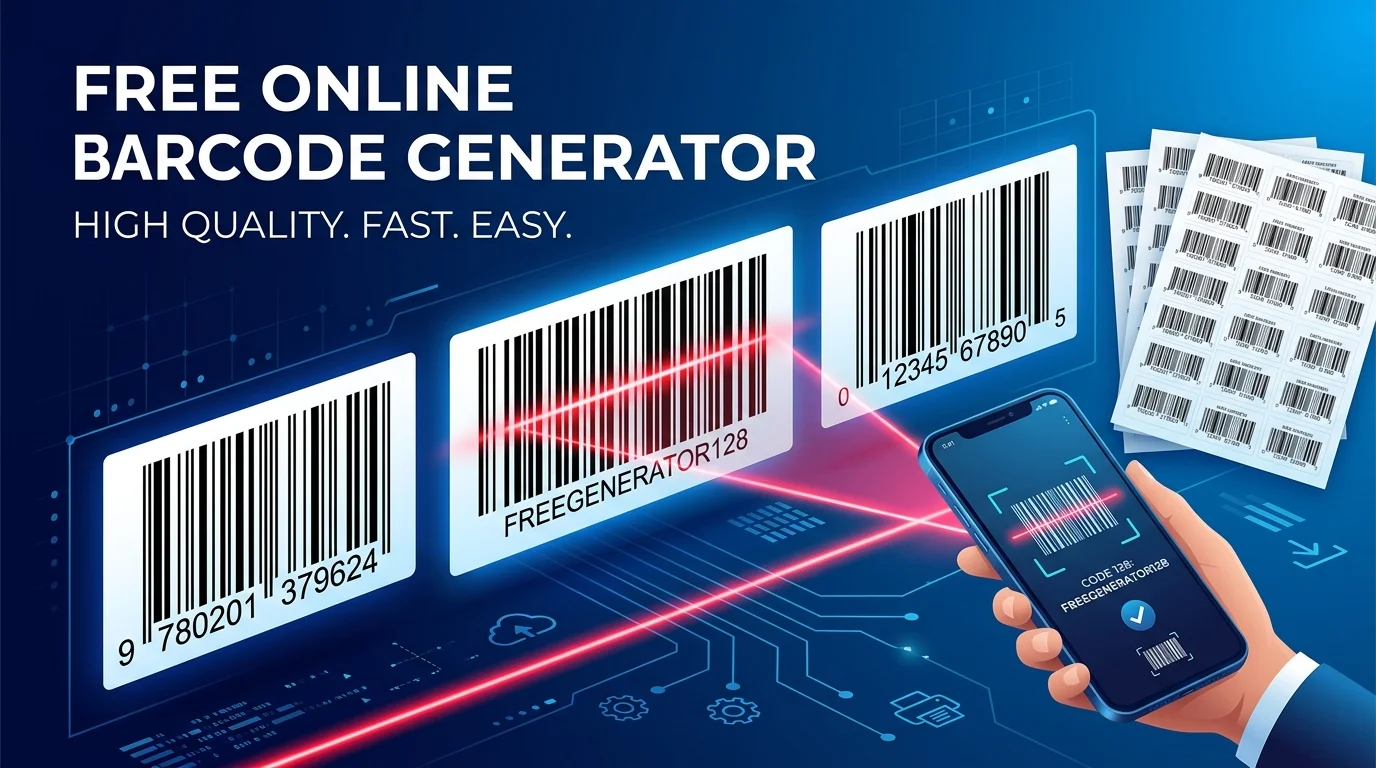
Barcodes remain the backbone of global commerce, supply chains, document filing, healthcare sample tracking, and automated warehouse management. Whether printing retail product packaging labels, generating durable asset tags for office electronics, or preparing shelf barcode stickers for commercial inventory, choosing the right barcode symbology and export resolution is critical to ensure 100% scan reliability across all optical scanner types.
With PixDok's Free Online Barcode Generator, you can create industry-compliant 1D linear barcodes and 2D codes in seconds—exporting directly as clean, scalable vector SVG files or high-DPI PNG graphics ready for commercial press and industrial thermal label printers.
| Barcode Symbology | Standard Length | Character Set | Primary Use Case |
|---|---|---|---|
| Code 128 | Variable (high density) | Full ASCII (0-9, A-Z, a-z, punctuation, control chars) | Warehousing, shipping labels, asset management, logistics |
| EAN-13 | 13 Numeric Digits | Numbers only (0-9) | Worldwide retail POS (Point of Sale) checkout outside USA |
| UPC-A | 12 Numeric Digits | Numbers only (0-9) | North American retail POS packaging (US & Canada) |
| Code 39 | Variable | Uppercase alphanumeric (A-Z, 0-9, -$%./+) | Automotive, defense, healthcare legacy systems |
| ITF-14 | 14 Numeric Digits | Numbers only (0-9) | Corrugated cardboard shipping master cartons |
| Codabar | Variable | Numeric (0-9) plus special markers (A, B, C, D) | Blood banks, libraries, parcel delivery waybills |
1. Linear 1D vs. 2D Matrix Codes: Architectural Differences
One-dimensional (linear) barcodes store alphanumeric characters horizontally through the varying widths and spacings of parallel black lines and white spaces. A single optical laser beam or linear charge-coupled device (CCD) sweeps horizontally across the bars, measuring light reflectance to decode the pattern. Because the data is stored along a single axis, linear barcodes require relatively large horizontal real estate.
Two-dimensional (2D) codes—most notably QR codes and Data Matrix—store data in two dimensions (both horizontally and vertically) using square grids of black and white modules. This structural design achieves exponential data density, allowing an entire business vCard, cryptographic authentication key, or URL to fit in a postage-stamp-sized space.
- Choose 1D Barcodes (Code 128, EAN-13, UPC-A): When your items are scanned by point-of-sale laser registers, fixed automated conveyor scanners, or standard handheld warehouse terminals. If you operate an internal enterprise resource planning (ERP) or stockroom database, linear barcodes provide immediate, lightning-fast lookup with zero camera latency.
- Choose 2D Codes (QR Codes): When you want customers or end-users to scan the code using standard smartphone cameras without downloading dedicated hardware utilities. For website links, customer service portals, or product warranty manuals, use the PixDok QR Code Generator.
2. Complete Breakdown of Core 1D Symbologies
Code 128: The Industrial & Logistics Powerhouse
Developed in 1981 by Computer Identics, Code 128 is by far the most versatile high-density linear barcode. It supports all 128 ASCII characters, including letters (both uppercase and lowercase), digits, punctuation marks, and control codes. Code 128 automatically switches between three distinct character subsets (Subsets A, B, and C) to minimize label width:
- Code 128 Subset A: Encodes uppercase alphanumeric, punctuation, and ASCII control characters (such as tab, return,
). Ideal for factory automation.
Frequently Asked Questions
1. Linear 1D vs. 2D Matrix Codes: Architectural DifferencesOne-dimensional (linear) barcodes store alphanumeric characters horizontally through the varying widths and spacings of parallel black lines and white spaces. A single optical laser beam or linear charge-coupled device (CCD) sweeps horizontally across the bars, measuring light reflectance to decode the pattern. Because the data is stored along a single axis, linear barcodes require relatively large horizontal real estate.
Two-dimensional (2D) codes—most notably QR codes and Data Matrix—store data in two dimensions (both horizontally and vertically) using square grids of black and white modules. This structural design achieves exponential data density, allowing an entire business vCard, cryptographic authentication key, or URL to fit in a postage-stamp-sized space.
- Choose 1D Barcodes (Code 128, EAN-13, UPC-A): When your items are scanned by point-of-sale laser registers, fixed automated conveyor scanners, or standard handheld warehouse terminals. If you operate an internal enterprise resource planning (ERP) or stockroom database, linear barcodes provide immediate, lightning-fast lookup with zero camera latency.
- Choose 2D Codes (QR Codes): When you want customers or end-users to scan the code using standard smartphone cameras without downloading dedicated hardware utilities. For website links, customer service portals, or product warranty manuals, use the PixDok QR Code Generator.
Code 128: The Industrial & Logistics PowerhouseDeveloped in 1981 by Computer Identics, Code 128 is by far the most versatile high-density linear barcode. It supports all 128 ASCII characters, including letters (both uppercase and lowercase), digits, punctuation marks, and control codes. Code 128 automatically switches between three distinct character subsets (Subsets A, B, and C) to minimize label width:
- Code 128 Subset A: Encodes uppercase alphanumeric, punctuation, and ASCII control characters (such as tab, return, null). Ideal for factory automation.
- Code 128 Subset B: Encodes all standard alphanumeric characters (uppercase and lowercase) plus punctuation. Ideal for serial numbers with mixed casing.
- Code 128 Subset C: Compresses double-digit numeric pairs (00 through 99) into single bar patterns, cutting the physical width of numeric barcodes in half. When serial numbers or tracking IDs contain only numbers, PixDok automatically invokes Subset C for maximum label economy.
EAN-13 & UPC-A: The Global Retail Checkout StandardsEvery commercial item sold through retail cash registers worldwide requires a standardized Global Trade Item Number (GTIN). In the United States and Canada, items carry a 12-digit UPC-A barcode. In Europe, Asia, Latin America, Australia, and Africa, items carry a 13-digit EAN-13 barcode.
An EAN-13 barcode is structured into four distinct logical zones:
- GS1 Country Prefix (First 2–3 digits): Identifies the national GS1 organization that issued the manufacturer's license (e.g., 890 for GS1 India, 000–139 for GS1 US, 400–440 for GS1 Germany, 500–509 for GS1 UK). Note that this indicates the company's registration country, not necessarily the country of manufacturing origin.
- Company Prefix (Next 4–6 digits): Unique identifier assigned to the manufacturing or distribution brand.
- Item Reference Number (Next 3–5 digits): Assigned by the brand to identify the specific product SKU, flavor, size, or packaging variant.
- Check Digit (Final 13th digit): Mathematical checksum calculated using the Modulo 10 algorithm to detect keystroke or scanning transposition errors.
Understanding the Modulo 10 Check Digit CalculationTo verify why an EAN-13 barcode reads correctly, consider how the 13th digit is calculated from the first 12 digits:
- Sum the digits in all even-numbered positions (positions 2, 4, 6, 8, 10, 12).
- Multiply this intermediate sum by 3.
- Sum the digits in all odd-numbered positions (positions 1, 3, 5, 7, 9, 11).
- Add the two totals together to determine the grand sum.
- The check digit is the smallest number that must be added to the grand sum to reach a multiple of 10. (If the grand sum ends in 0, the check digit is 0).
PixDok's Barcode Generator calculates this checksum automatically in real time, preventing illegal or unreadable EAN-13 strings before you download.
3. Barcode Print Quality & Scanner Verification StandardsIndustrial barcode scanners grade printed barcodes according to ISO/IEC 15416, evaluating seven distinct optical parameters: minimum reflectance, symbol contrast, minimum edge contrast, modulation, defects (spots or voids), decodability, and quiet zones. Here is how to ensure your printed labels score an "A" grade:
Protecting the "Quiet Zone"The quiet zone is the completely blank, unprinted margin surrounding the barcode (especially before the first bar and after the last bar). For Code 128, the quiet zone must measure at least 10 times the width of the narrowest bar (X-dimension) or 6.35 mm (0.25 inches), whichever is greater. For EAN-13, the quiet zone must measure at least 3.63 mm on the left and 2.31 mm on the right. Placing text, borders, or graphics within the quiet zone will cause laser scanners to fail immediately.
Contrast Ratio & Background Color SelectionOptical scanners read barcodes using red laser diodes operating at approximately 660 nm wavelength or red LED floodlights. This creates unique physics regarding acceptable color combinations:
- Recommended Combinations: Pure black bars on a pure white background provides the maximum Print Contrast Signal (PCS > 85%). Dark navy blue or dark green bars on a white or light yellow background also scan reliably.
- Strictly Prohibited Combinations: Red bars on white (the red laser sees red bars as white, rendering the entire code invisible). Black bars on a red background will scan because the laser sees the red background as white. Never print light grey bars, metallic foil bars, or translucent background labels without opaque white underprinting.
Thermal Transfer vs. Direct Thermal PrintingWhen mass-producing barcode stickers for shipping or inventory:
- Direct Thermal Printing: Heat-sensitive paper turns black under the printhead. It requires no ink ribbons and is cost-effective for short-term shipping labels (such as courier waybills). However, heat, sunlight, and friction will fade or darken the paper over 6–12 months.
- Thermal Transfer Printing: The printhead melts a resin or wax ribbon onto plain paper or polyester synthetic stock. The resulting barcodes are impervious to UV light, moisture, extreme temperatures, and chemical exposure, making them essential for permanent warehouse racking, circuit boards, and asset tagging.
4. Step-by-Step: How to Generate & Print Barcodes Online- Open the Generator: Navigate to PixDok Free Barcode Generator.
- Choose Your Format: Select your target symbology from the dropdown menu (e.g., Code 128 for inventory and internal serials, or EAN-13 for retail consumer packaging).
- Enter Your Content: Type your serial number or SKU code. Toggle Show Human-Readable Text if you want numbers printed underneath the bars for manual data entry fallback.
- Select Bar Height & Margins: Customize bar height (typically 15 mm to 25 mm) to give handheld scanner operators a comfortable targeting window.
- Export High-Resolution Vector or Raster: Click Download SVG for infinitely scalable vector packaging integration in Adobe Illustrator, CorelDRAW, or InDesign, or click Download PNG (300 DPI) for instant sticker printing.
5. Designing A4 Multi-Up Barcode Sticker SheetsIf you need to print 24, 48, or 65 labels per page on standard Avery or generic die-cut A4 adhesive sheets, export your PNG barcodes from PixDok and use our free Image to PDF Tool to assemble them into a master PDF document with calibrated margins. If you are digitizing legacy paper stock sheets, you can run them through our PDF OCR Tool to extract serial lists before generating fresh digital barcodes.
- Code 128 Subset B: Encodes all standard alphanumeric characters (uppercase and lowercase) plus punctuation. Ideal for serial numbers with mixed casing.
- Code 128 Subset C: Compresses double-digit numeric pairs (00 through 99) into single bar patterns, cutting the physical width of numeric barcodes in half. When serial numbers or tracking IDs contain only numbers, PixDok automatically invokes Subset C for maximum label economy.
EAN-13 & UPC-A: The Global Retail Checkout Standards
Every commercial item sold through retail cash registers worldwide requires a standardized Global Trade Item Number (GTIN). In the United States and Canada, items carry a 12-digit UPC-A barcode. In Europe, Asia, Latin America, Australia, and Africa, items carry a 13-digit EAN-13 barcode.
An EAN-13 barcode is structured into four distinct logical zones:
- GS1 Country Prefix (First 2–3 digits): Identifies the national GS1 organization that issued the manufacturer's license (e.g., 890 for GS1 India, 000–139 for GS1 US, 400–440 for GS1 Germany, 500–509 for GS1 UK). Note that this indicates the company's registration country, not necessarily the country of manufacturing origin.
- Company Prefix (Next 4–6 digits): Unique identifier assigned to the manufacturing or distribution brand.
- Item Reference Number (Next 3–5 digits): Assigned by the brand to identify the specific product SKU, flavor, size, or packaging variant.
- Check Digit (Final 13th digit): Mathematical checksum calculated using the Modulo 10 algorithm to detect keystroke or scanning transposition errors.
Understanding the Modulo 10 Check Digit Calculation
To verify why an EAN-13 barcode reads correctly, consider how the 13th digit is calculated from the first 12 digits:
- Sum the digits in all even-numbered positions (positions 2, 4, 6, 8, 10, 12).
- Multiply this intermediate sum by 3.
- Sum the digits in all odd-numbered positions (positions 1, 3, 5, 7, 9, 11).
- Add the two totals together to determine the grand sum.
- The check digit is the smallest number that must be added to the grand sum to reach a multiple of 10. (If the grand sum ends in 0, the check digit is 0).
PixDok's Barcode Generator calculates this checksum automatically in real time, preventing illegal or unreadable EAN-13 strings before you download.
3. Barcode Print Quality & Scanner Verification Standards
Industrial barcode scanners grade printed barcodes according to ISO/IEC 15416, evaluating seven distinct optical parameters: minimum reflectance, symbol contrast, minimum edge contrast, modulation, defects (spots or voids), decodability, and quiet zones. Here is how to ensure your printed labels score an "A" grade:
Protecting the "Quiet Zone"
The quiet zone is the completely blank, unprinted margin surrounding the barcode (especially before the first bar and after the last bar). For Code 128, the quiet zone must measure at least 10 times the width of the narrowest bar (X-dimension) or 6.35 mm (0.25 inches), whichever is greater. For EAN-13, the quiet zone must measure at least 3.63 mm on the left and 2.31 mm on the right. Placing text, borders, or graphics within the quiet zone will cause laser scanners to fail immediately.
Contrast Ratio & Background Color Selection
Optical scanners read barcodes using red laser diodes operating at approximately 660 nm wavelength or red LED floodlights. This creates unique physics regarding acceptable color combinations:
- Recommended Combinations: Pure black bars on a pure white background provides the maximum Print Contrast Signal (PCS > 85%). Dark navy blue or dark green bars on a white or light yellow background also scan reliably.
- Strictly Prohibited Combinations: Red bars on white (the red laser sees red bars as white, rendering the entire code invisible). Black bars on a red background will scan because the laser sees the red background as white. Never print light grey bars, metallic foil bars, or translucent background labels without opaque white underprinting.
Thermal Transfer vs. Direct Thermal Printing
When mass-producing barcode stickers for shipping or inventory:
- Direct Thermal Printing: Heat-sensitive paper turns black under the printhead. It requires no ink ribbons and is cost-effective for short-term shipping labels (such as courier waybills). However, heat, sunlight, and friction will fade or darken the paper over 6–12 months.
- Thermal Transfer Printing: The printhead melts a resin or wax ribbon onto plain paper or polyester synthetic stock. The resulting barcodes are impervious to UV light, moisture, extreme temperatures, and chemical exposure, making them essential for permanent warehouse racking, circuit boards, and asset tagging.
4. Step-by-Step: How to Generate & Print Barcodes Online
- Open the Generator: Navigate to PixDok Free Barcode Generator.
- Choose Your Format: Select your target symbology from the dropdown menu (e.g., Code 128 for inventory and internal serials, or EAN-13 for retail consumer packaging).
- Enter Your Content: Type your serial number or SKU code. Toggle Show Human-Readable Text if you want numbers printed underneath the bars for manual data entry fallback.
- Select Bar Height & Margins: Customize bar height (typically 15 mm to 25 mm) to give handheld scanner operators a comfortable targeting window.
- Export High-Resolution Vector or Raster: Click Download SVG for infinitely scalable vector packaging integration in Adobe Illustrator, CorelDRAW, or InDesign, or click Download PNG (300 DPI) for instant sticker printing.
5. Designing A4 Multi-Up Barcode Sticker Sheets
If you need to print 24, 48, or 65 labels per page on standard Avery or generic die-cut A4 adhesive sheets, export your PNG barcodes from PixDok and use our free Image to PDF Tool to assemble them into a master PDF document with calibrated margins. If you are digitizing legacy paper stock sheets, you can run them through our PDF OCR Tool to extract serial lists before generating fresh digital barcodes.