
Executive Summary
Managing dozens of disconnected PDF files whether they are monthly expense receipts, multi-page legal contracts, or job application credentials creates administrative friction and risks document misplacement.
Combining these fragmented files into a single, cohesive PDF document significantly improves workflow efficiency, simplifies cloud storage, and ensures a seamless experience for recipients.
This comprehensive guide breaks down why merging PDFs is essential for digital productivity, provides a step-by-step walkthrough to combine your files in seconds, and answers critical technical questions regarding file privacy, security, and formatting retention.
Process your files with studio quality in your browser with zero registration required.
Try PixDok Tool NowThe Hidden Cost of File Fragmentation
In modern digital workflows, information fragmentation is a major driver of lost productivity. Consider a typical hiring manager reviewing candidate submissions: receiving a resume, cover letter, references, and portfolio pieces across four separate attachments creates unnecessary clicks, potential download errors, and a disorganized reviewing process.
Similarly, corporate accounting departments process hundreds of vendor invoices, purchase orders, and proof-of-delivery notes every month. Managing these as isolated files increases search overhead and complicates audit trails.
By establishing a unified document structure through PDF merging, organizations and individuals achieve:
-
Enhanced Document Governance: A single master document eliminates version control confusion.
-
Simplified Email Logistics: Avoid triggering spam filters or exceeding attachment size limits by sending a single, organized file.
-
Improved Reader Experience: Reviewers can navigate continuous page ranges without repeatedly toggling between separate windows.
Why You Should Merge PDF Files Today
[ Individual Files ]                         [ Unified Output ]
├─ 01_Resume.pdf      \                         ┌─────────────────┐
├─ 02_CoverLetter.pdf  ──► [ PixDok Engine ] ──► │ Master_Doc.pdf  │
└─ 03_Certificates.pdf/                         └─────────────────┘
1. Streamlined Document Sharing
When sharing critical paperwork via email or messaging platforms, single-file attachments perform significantly better. Instead of forcing recipients to download and extract ZIP archives or open five separate attachments, providing a single consolidated PDF ensures your audience reads the content in the exact sequence you intended.
2. Professional Submissions for Hiring & Business Proposals
First impressions matter. When submitting job applications, vendor bids, or grant proposals, submitting a single bundled PDF demonstrates attention to detail and high digital literacy. Arranging your cover letter, resume, work samples, and references into a single document ensures no critical page gets overlooked during evaluation.
3. Effortless Printing and Digital Archiving
Printing multiple individual files requires sending numerous print jobs to your queue, which frequently leads to mixed-up pages or paper tray errors. Merging your files beforehand guarantees a seamless, uninterrupted print run. Furthermore, long-term cloud storage platforms (like Google Drive or Dropbox) become vastly easier to index and search when documents are bundled logically by project, client, or financial quarter.
4. Downstream File Size Management
Once your PDF files are consolidated into a master document, optimizing the overall file size becomes much easier. Rather than compressing each file individually, you can merge your documents first and then process the output through an automated Compress PDF Tool to reduce overall megabytes without sacrificing visual clarity.
Step-by-Step Guide: How to Merge PDFs Online for Free
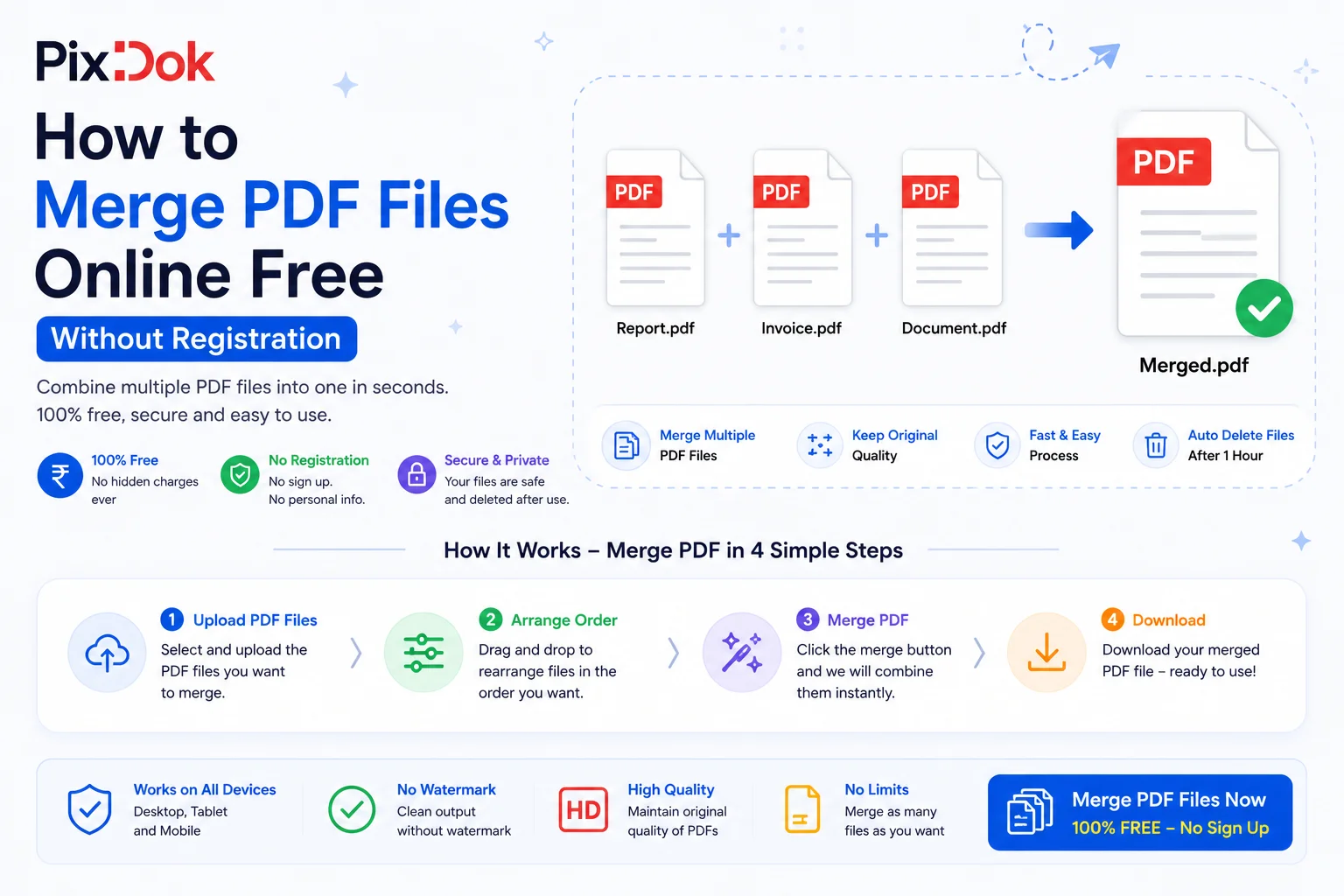
Merging PDF documents using PixDok's Online PDF Merger requires no software installation, no credit card, and zero user account registration. Follow these four quick steps to consolidate your files instantly:
Step 1: Select and Upload Your PDF Files
Navigate to the PixDok Merge PDF Tool in any modern web browser on desktop, tablet, or mobile. Drag and drop your desired files directly into the upload dropzone, or click Browse Files to select documents from your local storage or cloud drive.
Step 2: Custom Rearrange and Page Ordering
Once your files are uploaded, PixDok displays high-resolution visual thumbnails for every document. Click and drag the thumbnails horizontally or vertically to arrange the exact page order you require. You can also rotate individual pages or delete unwanted sections before finalizing the output.
Step 3: Execute the High-Speed Merge Engine
Click the primary Merge PDF button. PixDok’s browser-accelerated processing engine reads the structural tree of every uploaded file, merges the vector rendering layers, standardizes the page viewports, and constructs a unified master PDF within 2 seconds.
Step 4: Download and Store Your Master Document
Click Download Merged PDF to save the final file directly to your device. You can also copy a temporary download link or send the file directly to cloud storage.
Key Feature Comparison: Online vs. Desktop PDF Mergers
| Feature / Capability | PixDok Online PDF Merger | Native Desktop Software (e.g., Adobe Acrobat) |
| Cost | 100% Free | High Monthly Subscription Fees |
| Installation Required | None (Runs in Browser) | Heavy Software Download (~1–2 GB) |
| Cross-Platform Compatibility | Windows, macOS, Linux, iOS, Android | Limited to supported OS versions |
| Processing Speed | Near Instantaneous (2 Seconds) | Dependent on local CPU performance |
| Account Registration | Not Required | Mandatory Sign-in / License Validation |
| Automatic Updates | Always running the latest engine | Requires manual patching & updates |
Frequently Asked Questions (FAQ)
Is there a limit on how many PDF files I can merge at once?
No. PixDok allows you to combine dozens of PDF documents in a single batch, completely free of charge. Whether you are combining two invoices or fifty scanned book chapters, the merging engine processes your files with equal speed.
Are my uploaded PDF files safe and confidential?
Yes, data privacy is guaranteed. All incoming and outgoing data transmissions are encrypted using standard 256-bit SSL/HTTPS protocols. Your original files are processed temporarily in volatile memory and automatically wiped permanently from our systems within 60 minutes. No human ever views, analyzes, or stores your content.
Will merging alter the formatting or font styles of my original documents?
No. PixDok uses a lossless PDF parsing architecture. All embedded fonts, vector graphics, hyperlinked text, form fields, and color profiles are preserved down to the pixel level during the consolidation process.
Can I merge password-protected PDF files?
Yes, provided you own the rights to the file. If one of your input PDFs is locked with an owner password, you will be prompted to enter the correct decryption key before the tool incorporates the file into the merged output.
Does PixDok work on mobile devices?
Yes. The web interface is fully responsive and optimized for touch controls on both iOS (Safari) and Android (Chrome) devices. You can combine files directly from your smartphone's native files app without downloading third-party applications.
Technical Deep Dive: How Browser-Based PDF Merging Works
Traditional software required heavy installations because rendering PDF objects (vector paths, embedded TrueType/OpenType fonts, raster images, and metadata trees) demanded significant system memory.
Modern web standards—powered by WebAssembly (WASM) and HTML5 Canvas APIs—allow PixDok to execute underlying file processing directly within your client browser session or via lightweight serverless microservices.
[ Input File A: Metadata + Pages 1-3 ] ──┐
                                        ├──► [ Vector Layer Alignment ] ──► [ Output PDF Engine ]
[ Input File B: Metadata + Pages 4-6 ] ──┘
When you hit Merge, the engine performs the following automated operations:
-
Header Parsing: It reads the header structures of every input file (PDF versions 1.3 through 2.0) to ensure syntax compatibility.
-
Catalog Reconstruction: It extracts the
/Pagesdictionary tree from each document, merging them into a single continuous array. -
Resource Mapping: Fonts, images (
/XObject), and color spaces are re-indexed to prevent naming collisions and keep overall file size optimized. -
Cross-Reference (XRef) Table Rebuilding: A new cross-reference table is written at the end of the file, allowing PDF readers to open instantly without page-loading delays.
Conclusion
Combining separate PDF documents into a single organized file should not require costly software licenses or lengthy registration steps. By leveraging PixDok's Free Online PDF Merger, you can consolidate reports, forms, scans, and receipts in seconds while maintaining strict data privacy and flawless formatting.
Eliminate document clutter today try PixDok’s Free PDF Merger now!