

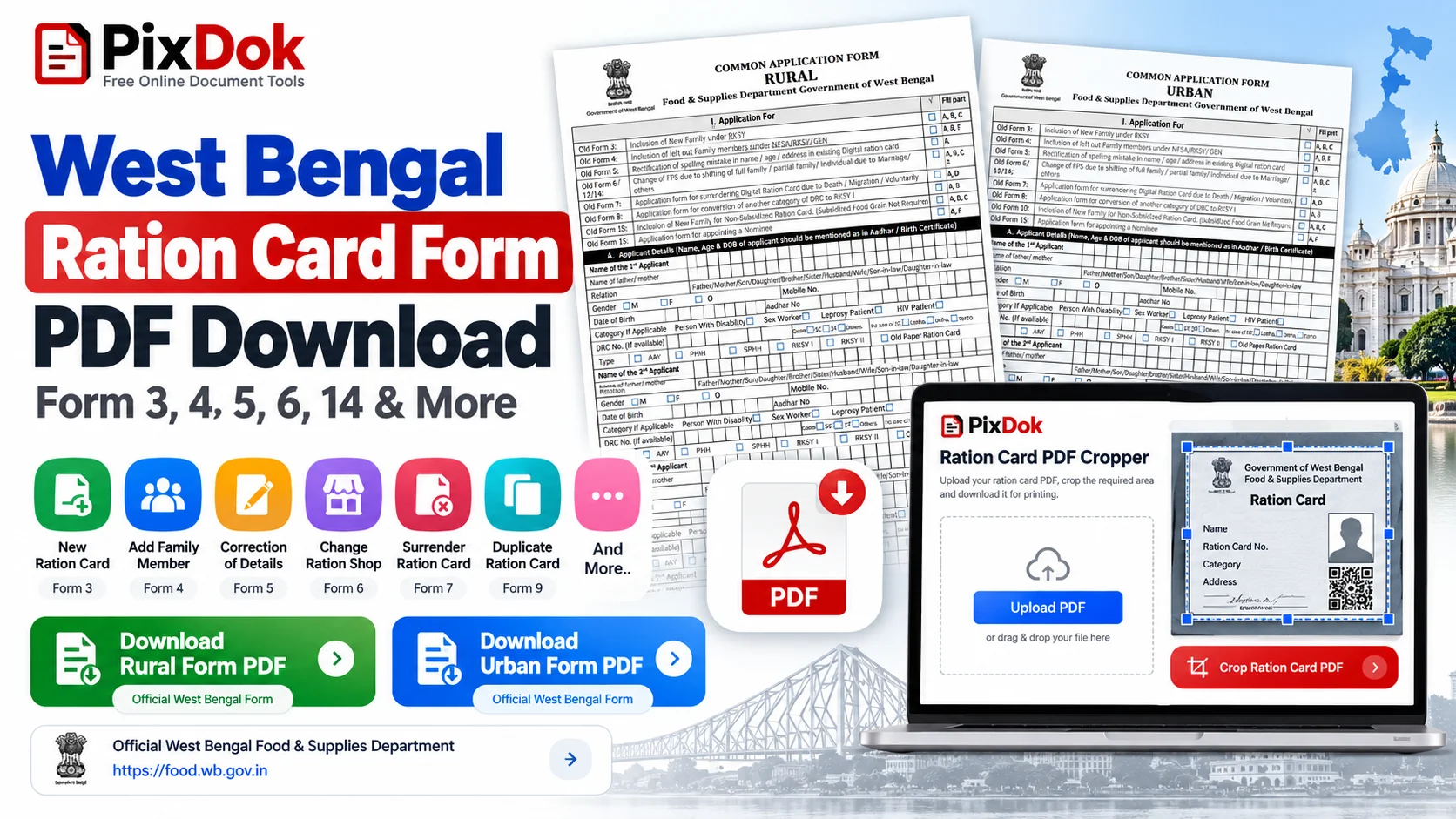
The Department of Food & Supplies, Government of West Bengal provides citizens with various official application forms for issuing new digital ration cards, adding family members, correcting typographical errors, shifting ration shops, and updating demographic details. Whether you are submitting physical paperwork at your local BDO office, Sub-Divisional Controller of Food & Supplies (SCFS), or Duare Sarkar camp, having the correct West Bengal Ration Card Form PDF is essential to ensure your application is processed without delay.
In this comprehensive guide, we provide a complete breakdown of every official form including Form 3, Form 4, Form 5, Form 6, Form 7, Form 8, Form 9, Form 10, Form 11, Form 13, and Form 14 along with step-by-step instructions on downloading, filling, and submitting them online or offline.
Complete List of West Bengal Ration Card Forms
The West Bengal Public Distribution System (WBPDS) divides forms into specific categories. Most application forms exist in two variants: -R (for Rural areas under Gram Panchayats) and -U (for Urban areas under Municipalities/Corporations).
Detailed Breakdown: Forms 3, 4, 5, 6, 13 & 14
Form 3 (3-R & 3-U): New Digital Ration Card for Families
If your entire household does not hold any subsidized or non-subsidized ration card under NFSA or RKSY, Form 3 is the entry form. You must list the head of the family along with all dependent members. In Form 3-R (Rural), you need verification from the Gram Panchayat Pradhan or block development authority. In Form 3-U (Urban), verification is routed through the Municipal Councillor or Ward Commissioner.
Form 4 (4-R & 4-U): Adding a Family Member
Form 4 is one of the most frequently used forms in West Bengal. Whenever a child is born or an individual joins the family through marriage, submit Form 4 along with:
- Child's birth certificate (for minors under 5 years)
- Aadhaar card copy (mandatory for members above 5 years)
- Existing head of family ration card number and category (AAY, PHH, SPHH, RKSY-I, or RKSY-II)
Form 5 (5-R & 5-U): Correction of Name & Demographic Details
Errors in spelling, mismatched dates of birth, or incorrect gender on your ration card can cause difficulties during biometric e-KYC and fair price distribution. Use Form 5 to request corrections. Always attach a primary proof such as your Aadhaar Card or Voter ID (EPIC) reflecting the correct spelling.
Form 6 (6-R & 6-U): Transferring Fair Price Shop (Ration Dealer)
When you relocate to another locality within the same district or move to another district in West Bengal, submit Form 6 to transfer your allocation to a new Fair Price Shop (FPS) dealer and Kerosene dealer. This ensures you do not have to travel back to your former neighborhood for monthly grain collections.
Form 13: Shifting of a Member to a Different Household
Form 13 allows a specific member to be detached from one existing family ration card and linked to an existing card of another household. This is the primary process for married women moving into their spouse's household or dependents moving between family branches.
Form 14: Individual Ration Card for Disjoint Family Members
When family members separate into distinct households and establish their own cooking arrangements (disjoint kitchen), Form 14 allows an individual or smaller unit to claim an independent digital ration card without remaining tied to the primary family card.
How to Download Official West Bengal Ration Card Forms in PDF
Follow these official steps to obtain clean, printable PDF copies of any West Bengal ration card form:
- Visit the Official Portal: Open your web browser and go to food.wb.gov.in (Department of Food & Supplies, Govt. of West Bengal).
- Navigate to Forms: On the top navigation menu, click on Citizen Home or look under the Download > Forms section.
- Select Your Form: Locate the specific form required (e.g., Form 3-R, Form 4-U, Form 5, Form 11, etc.).
- Download PDF: Click the download icon to save the high-resolution bilingual (Bengali and English) PDF document.
- Print on A4 Paper: Print the form on clean A4 paper at 100% scale using black or color print.
How to Submit West Bengal Ration Card Forms
Citizens have two pathways to submit their applications:
Option 1: Offline Submission
- Fill out the printed PDF form in clear English capital letters.
- Attach self-attested photocopies of all required identity documents (Aadhaar cards of all members, birth certificates, and current address proof).
- Submit the dossier to your local BDO Office (Rural), Sub-Divisional Controller of Food & Supplies (SCFS) (Urban), or during an active Duare Sarkar camp.
- Collect and preserve the Money Receipt / Application Acknowledgement Slip containing your 10-digit or 16-digit barcode/application number.
Option 2: Online Submission via food.wb.gov.in
- Navigate to Citizen Services on food.wb.gov.in.
- Log in using your registered mobile number and OTP.
- Select the desired service corresponding to the form (e.g., "Apply for New Ration Card", "Add Member to Family", "Name Correction").
- Upload scanned copies of required documents in PDF or JPEG format (files should typically be under 100 KB to 200 KB).
- Submit the application and download the digital acknowledgment receipt.
How to Check West Bengal Ration Card Application Status
Once your form is submitted, tracking progress is simple:
- Go to food.wb.gov.in > Citizen Home > Check Application Status.
- Select your form number from the dropdown list (e.g., Form 3, Form 4, Form 5, etc.).
- Select your district and block/municipality.
- Enter your 10-digit application barcode or mobile number used during submission.
- Click Search to view whether your card has been approved, recommended by the inspector, or dispatched.
Download and Print Your e-Ration Card (e-RC) as a PVC Card
After your application is approved by the Food & Supplies Department, you can instantly download your electronic ration card (e-Ration Card or e-RC) in PDF format from the portal without waiting for the physical plastic card to arrive by post.
Because paper A4 sheets easily crumple or tear when presented at ration shops every month, many cardholders choose to prepare their e-Ration Card layout for durable wallet printing on CR80 PVC plastic stock. PixDok provides dedicated layout utilities to help crop, scale, and format multi-page government documents without image distortion.
👉 Learn more about formatting identification cards for home or cyber cafe printing: How to Print Voter ID Card as PVC Card or prepare your document layouts using Aadhaar PDF to PVC Card Layout Maker.
Frequently Asked Questions
You can download all official West Bengal ration card application forms (Form 3 to Form 14) directly from the official Department of Food & Supplies website at food.wb.gov.in or wbpds.wb.gov.in under the 'Citizen Home' > 'Special Services' / 'Download' section, or obtain physical copies from your local BDO office, Food Inspector office, or Duare Sarkar camps.
Form 4 (Form 4-R for rural areas and Form 4-U for urban areas) is used to add a new family member—such as a newborn baby or a newly married daughter-in-law—to an existing Digital Ration Card family.
Form 3-R is intended for rural applicants under Gram Panchayats, while Form 3-U is for urban residents under Municipalities or Municipal Corporations. Both forms are used when a family currently has no ration card and is applying for a new Digital Ration Card.
Form 5 (Form 5-R for rural and Form 5-U for urban) is used to apply for name corrections, father/spouse name corrections, date of birth/age updates, address modifications, or gender adjustments on an existing Digital Ration Card.
Form 13 is for shifting or transferring a family member from one existing ration card family to another (commonly used after marriage or relocation). Form 14 is used when an individual or disjoint family member wants to separate from an existing family unit and obtain an independent Digital Ration Card.
You can link Aadhaar and mobile with your ration card either offline by submitting Form 11 at your nearest Food & Supplies office or Duare Sarkar camp, or online via food.wb.gov.in using the 'Link Aadhaar with Active Card' e-KYC service.
Yes. Once your digital ration card is issued, you can download the official e-Ration Card (e-RC) PDF from food.wb.gov.in. You can then use PixDok's formatting and card layout utilities to crop, scale, and align the front and back into a standard CR80 wallet card for plastic or PVC printing.